From the conversion glossary
Concepts referenced in this article, defined.
Concepts referenced in this article, defined.
Run rigorous A/B tests and personalize every visit on Shopify or any storefront — no engineers required.
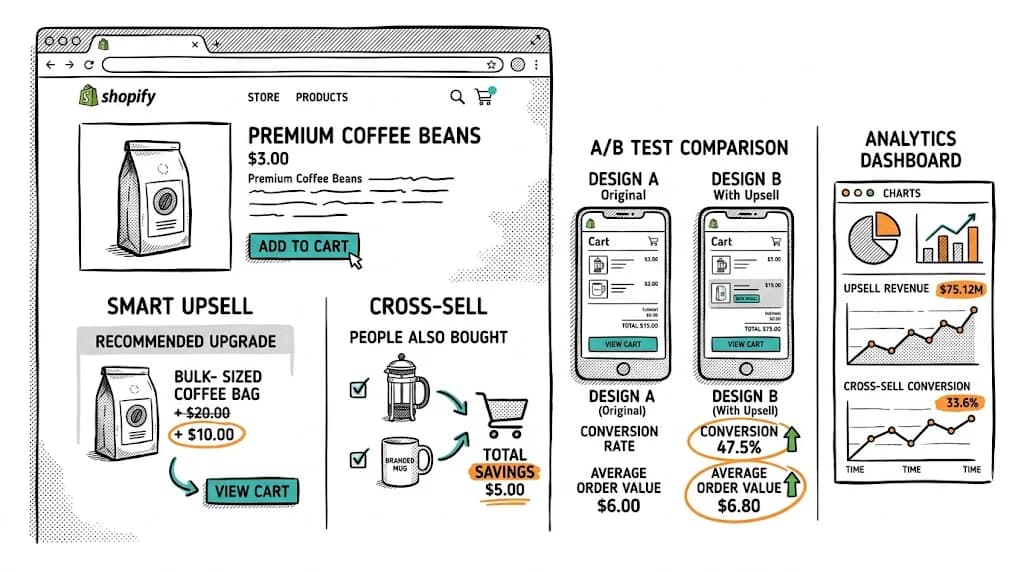
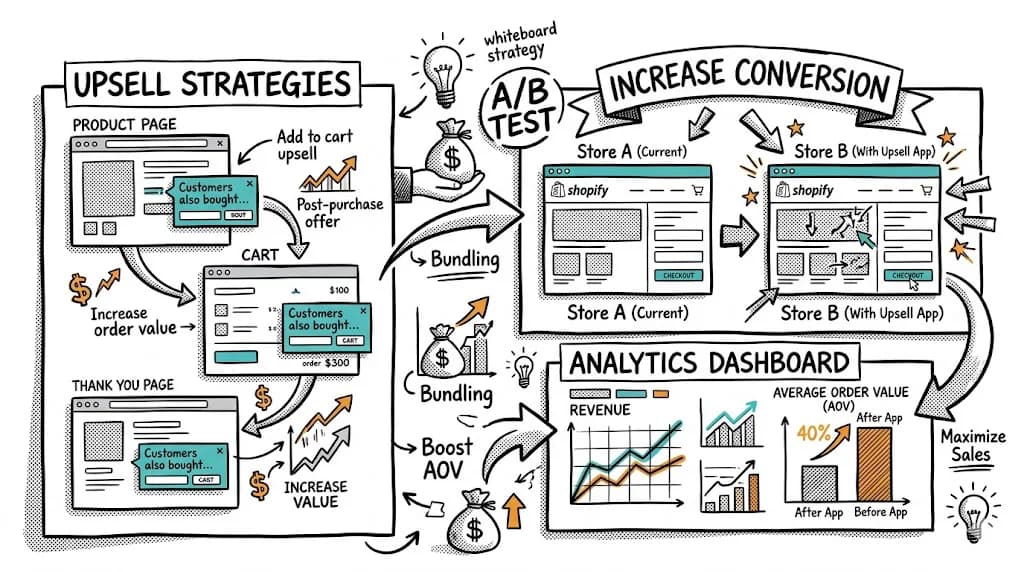
Shopify A/B testing is the practice of splitting your Shopify store's traffic between two versions of a page to find out which one drives more conversions, higher AOV, or greater revenue per visitor. Shopify has no native A/B testing, so you need a dedicated tool. With the right app, any D2C brand can launch a test in under 30 minutes without a developer. Run tests consistently and it becomes the most reliable way to grow revenue from existing traffic.
Shopify A/B testing (also called split testing) shows two versions of a Shopify page, a control (A) and a variant (B), to separate groups of visitors at the same time, then measures which version performs better on a defined metric.
That metric might be conversion rate, average order value, revenue per visitor, add-to-cart rate, or any D2C-relevant downstream event.
A/B testing removes guesswork from Shopify optimization. Instead of debating whether your "Buy Now" or "Add to Cart" button performs better, you test it and let customer behavior decide.
Every design decision on your store, the hero image, the CTA color, the shipping threshold, the reviews placement, was a guess. Someone made that call based on gut feeling, industry convention, or competitor observation. A/B testing turns those guesses into data.
A brand that runs one test per month and finds a 5% improvement each time ends up with a 79% better-converting store after 12 months. That lift comes from the same traffic converting better, not from higher ad spend.
| Month | Baseline CVR | After Test (5% lift compounded) |
|---|---|---|
| Jan | 2.0% | 2.0% |
| Mar | , | 2.2% |
| Jun | , | 2.5% |
| Sep | , | 2.9% |
| Dec | , | 3.5% |
Going from 2% to 3.5% CVR in 12 months means your ₹2L/month revenue store reaches ₹3.5L with the same traffic and the same ad spend.
India's D2C Shopify market has characteristics that make testing especially important:
Shopify has no native split testing. Install CustomFit.ai from the Shopify App Store in one click, no code required. Your store is ready to test in under 30 minutes.
Use funnel analysis to find your biggest drop-off points. If 60% of visitors add to cart but only 40% of those reach checkout, the cart page is your highest-leverage test target.
State clearly what you're changing, which metric you expect to improve, and why you expect it based on customer data. For example: "Adding a '1,00,000+ happy customers' social proof badge below the Add to Cart button will increase CVR by 8%, because exit surveys show new visitors have trust concerns."
Use CustomFit.ai's no-code visual editor to build your variant directly on your Shopify store. Click on any element, a headline, button, image, or badge, and modify it. No coding, no staging environment, no developer tickets.
Choose one primary metric before launching: conversion rate, AOV, RPV, or add-to-cart rate. Secondary metrics like bounce rate provide context, but the primary metric determines the winner.
A 50/50 split works for most tests. If you're testing something high-stakes (a major checkout redesign), a 20/80 split protects most of your revenue while you gather data. Then launch.
This is the step most teams skip too early. Do not stop the test before you have:
CustomFit.ai shows a live significance calculator so you always know where you stand.
Roll out the winning variant as your new control. Document the hypothesis, the result, and what the test revealed about your customers. That learning library is your long-term competitive advantage.
Product pages are where most purchase decisions happen, and most D2C brands have left a lot untested there.
1. Test one thing at a time. Multiple changes in one variant make it impossible to know what drove the result. The exception is a full-page redesign test where you're deliberately comparing two completely different approaches.
2. Use RPV as your primary metric, not just CVR. A variant that increases CVR by 5% but drops AOV by 10% is a net revenue loser. RPV accounts for both. Use it as your primary decision metric.
3. Always QA on mobile before launching. India's Shopify traffic is 70-80% mobile. A test that looks fine on desktop but breaks on mobile will skew your results and hurt revenue.
4. Avoid testing during Diwali or Big Billion Days. Festive-period behavior is an outlier. Results from Diwali tests don't generalize to January. Keep your testing calendar clear of major festive windows (Diwali, Navratri, Republic Day) unless you're specifically testing festive-period content.
5. Run tests for at least 2 weeks. Weekly traffic patterns (weekday vs. weekend behavior) can distort results. Always include at least 2 full weekday-weekend cycles.
6. Prioritize high-traffic pages. A page with 500 monthly visitors will take months to reach statistical significance. Focus first on pages with 2,000+ monthly visitors.
7. Don't make decisions on gut feelings mid-test. If a variant "looks like it's losing" on day 5, don't stop it. Regression to the mean is real, and early results are often misleading. Trust the significance calculator.
8. Document everything. Hypothesis, launch date, result, insight. A CRO log with 30+ tests becomes a customer behavior manual that new team members can learn from, and future tests can build on.
9. Share wins and losses across teams. A losing test teaches as much as a winning one. If urgency copy didn't lift conversions, that's a useful signal for your email and ad teams too.
10. Build a test backlog, not just a test calendar. Always maintain 10-15 prioritized test ideas. Teams that run out of ideas stop testing. Backlog management is a discipline.
| Tool | Best For | Key Feature | Starting Price |
|---|---|---|---|
| CustomFit.ai | D2C Shopify brands | No-code, D2C metrics, 1-click Shopify install, <30 min to first test | $99/mo |
| VWO | Mid-market Shopify | Heatmaps bundled with testing | ~$300/mo |
| Optimizely | Enterprise | Feature flags + web testing | Custom (₹10L+/yr) |
| Neat A/B Testing | Small Shopify stores | Simple, Shopify-native | Free/$19/mo |
Why CustomFit.ai for Shopify:
Compare CustomFit.ai vs VWO | Compare vs Optimizely | Compare vs Google Optimize
Bellavita's product pages had a standard "Add to Cart" button. Their hypothesis: customers were hesitant because they didn't have enough social proof at the moment of decision.
The variant added a "Loved by 50,000+ customers" line directly below the Add to Cart button, with a star rating number. The control kept the standard button with no additional copy.
Result: 11% CVR increase. The insight was that social proof at the decision moment matters more than social proof placed in a reviews section further down the page.
Kapiva's supplement product pages used stock-style product photography. Exit surveys showed customers wanted to see the product in use, particularly to understand dosage format (liquid, capsule, powder).
The variant replaced product-only images with a photo showing the product being consumed, with a small lifestyle caption. Result: 9.48% CVR increase. Clinical packaging outperformed lifestyle photography for Kapiva's health-conscious audience in the control, but lifestyle won.
Boat (audio/electronics D2C) found through funnel analysis that 35% of visitors who initiated checkout didn't complete it. Session recordings showed confusion at the address form.
The variant removed non-essential fields (Company, Address Line 2) and added Google Maps address auto-complete. Result: checkout completion improved 14%, and cart abandonment rate dropped from 72% to 62%.
Sugar's free shipping threshold was ₹599 and their average order value was ₹540. Customers were close to the threshold but most weren't bridging the gap.
The test added a progress bar in the cart: "You're ₹59 away from free shipping!" Variant B also showed a product recommendation in the cart. Result: AOV lifted from ₹540 to ₹624, a 15.5% increase. The progress bar alone (without recommendations) drove most of the lift.
Mamaearth's product pages were designed desktop-first. On mobile, the product images required 3 scrolls before the Add to Cart button came into view. They tested a mobile-specific sticky Add to Cart button that remained visible as visitors scrolled.
Result: mobile CVR improved 19%. The desktop experience was unchanged. This is a clear example of why mobile-specific testing matters.
1. Stopping tests when you see what you want to see. Peeking at results and stopping when the variant is winning inflates your false positive rate significantly. Always wait for statistical significance.
2. Testing low-traffic pages first. If your homepage gets 1,000 visitors and your blog gets 200, test the homepage first. Traffic determines how quickly you reach significance.
3. Not accounting for seasonality. A test run during Diwali sale traffic will not predict normal behavior. Start tests after major sales events have concluded when possible.
4. Using page views as your conversion metric. Page views tell you about attention, not intent. Always use a downstream event: add to cart, checkout initiated, or purchase completed.
5. Running multiple tests on the same page. Two simultaneous tests on a product page can interact. A visitor who sees variant A of one test and variant B of another creates noise that's hard to untangle. Run one test per page template at a time.
6. Ignoring the statistical significance threshold. 90% significance feels close to 95%, but it means a 10% chance your result is noise. Use 95% as a minimum, and 99% for major decisions like pricing changes or checkout redesigns.
7. No mobile QA before launch. A test that's visually broken on mobile will hurt your CVR and produce misleading results. Always preview on iPhone and Android before launching.
1. Run segment-level analysis on your A/B test data. Even within a winning test, performance may vary by segment. A CTA change that wins overall might win heavily for mobile users and lose for desktop users. Segmentation of test results reveals opportunities for further personalization.
2. Use cohort analysis to measure LTV impact. A variant that converts 10% more customers but with lower LTV (one-time buyers who don't return) may be worse than a lower-CVR variant with strong repeat purchase behavior. Cohort analysis after a test is the gold standard for evaluating real impact.
3. Test your Shopify theme templates, not just individual pages. If you have 200 product pages using the same Liquid template, a test on the template applies to all 200, giving you 200x the statistical power. Template-level testing is the most efficient form of Shopify A/B testing.
4. Build a "test debt" inventory. Every design decision that hasn't been tested is test debt. Audit your store for untested assumptions: the color of your Add to Cart button, the phrasing of your returns policy, the number of product images. Prioritize by traffic times potential impact.
5. Combine A/B testing with heatmaps for hypothesis generation. After a test runs, use a heatmap on both the control and variant. Did the winning variant change where people click and scroll? Understanding the behavioral change behind the CVR change deepens your learning.
Does Shopify have built-in A/B testing? No. Shopify has no native A/B testing as of 2026. You need a third-party app. CustomFit.ai integrates with Shopify in one click from the Shopify App Store and lets you launch your first test in under 30 minutes, no developer required.
What can you A/B test on Shopify? You can test product page headlines, images, CTA buttons, pricing displays, trust badges, reviews placement, checkout copy, free-shipping thresholds, bundle offers, and homepage layouts. Essentially any visible element on your store's front end.
How much traffic do you need for Shopify A/B testing? For reliable results, you need at least 1,000 visitors per variant and at least 50-100 conversions per variant. A store with under 5,000 monthly visitors should focus on their highest-traffic page only. Lower-traffic stores may need to run tests for 6-8 weeks.
How long should a Shopify A/B test run? At minimum 2 weeks (to capture weekday/weekend variation), ideally 4 weeks. Always let the test reach 95% statistical significance before declaring a winner, regardless of the calendar.
Can you A/B test prices on Shopify? Technically yes, but consistent assignment is required. A visitor should never see ₹299 in one session and ₹349 in the next. CustomFit.ai uses visitor-level assignment to ensure price consistency. Always consult a legal advisor before price testing in your market.
What is the best A/B testing app for Shopify? CustomFit.ai is built specifically for D2C Shopify brands. It has a no-code visual editor, tracks D2C metrics (AOV, RPV, add-to-cart), has 1000+ targeting attributes, and gets your first test live in under 30 minutes. It's available on the Shopify App Store.
Does A/B testing slow down my Shopify store? Good A/B testing tools minimize performance impact through asynchronous loading. CustomFit.ai adds less than 50ms latency on average. Poor implementations (loading a large testing script synchronously) can hurt Core Web Vitals, so choose a tool built for performance.
What should I A/B test first on Shopify? Start with the main CTA button (text and color) on your highest-traffic product page. This test reaches significance fastest and teaches you the most about how visitors respond to action triggers. Next, test hero image and social proof placement.
Start your free trial of CustomFit.ai. 14 days, no credit card. Setup under 30 minutes.