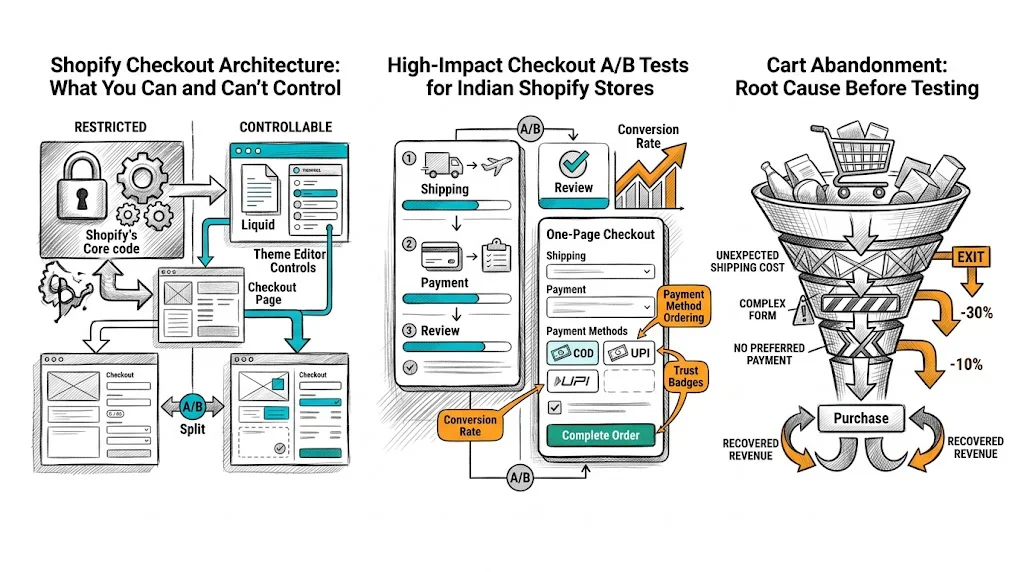
Checkout abandonment runs at 65–80% for most Shopify stores. Every percentage point you recover means real revenue from traffic you've already paid for. But Shopify's checkout is famously restricted — Shopify controls the checkout experience to maintain security and payment compliance, which means your testing options depend heavily on whether you're on standard Shopify or Shopify Plus. This guide explains what you can test, how to test it, and which experiments deliver the most lift.
Shopify Checkout Architecture: What You Can and Can't Control
Standard Shopify (Non-Plus)
On standard Shopify plans (Basic, Shopify, Advanced), you have limited checkout customization:
- You can upload a logo and change the banner image
- You can add custom text to the order confirmation (thank you page)
- You cannot modify checkout field order, add custom scripts, or change the checkout flow fundamentally
- You can control the cart page fully (this is pre-checkout and fully testable)
What you CAN A/B test without Plus:
- Cart page layout and content
- Pre-checkout trust signals (on the cart page)
- The "Proceed to Checkout" button (text, placement, color)
- Cart-page cross-sell and upsell content
- Cart value threshold messaging ("Add ₹200 more for free shipping")
- Post-purchase upsell flows (using Shopify's post-purchase extensions)
Shopify Plus
Plus stores gain access to:
- Checkout extensibility — Add blocks to the checkout information, shipping, and payment pages
- Custom payment badges and trust signals
- Custom fields (gift notes, delivery instructions, etc.)
- Script Editor (legacy) / Functions — Modify discount logic, shipping rates, payment methods
- Checkout branding editor — Full visual control
What you CAN A/B test on Plus:
- Payment method display order (COD vs prepaid prominence)
- Trust signal placement (badges, security icons)
- Custom fields and their impact on completion rate
- Gift wrapping / personalization options
- Order summary formatting
- Express checkout options (Shop Pay, Google Pay, etc.) placement
High-Impact Checkout A/B Tests for Indian Shopify Stores
Test 1: COD Visibility
For Indian D2C brands, this is the highest-impact checkout test available. By default, many payment gateway configurations show prepaid options (credit card, UPI) first with COD buried or requiring extra steps.
Test: Show COD as the first payment option (or equally prominent) vs current default order.
Expected impact: 15–30% lift in checkout completion for Tier 2/3 traffic segments. The magnitude depends on your current traffic mix — brands with heavy metro traffic see smaller lifts; brands with Tier 2/3 focus see larger ones.
Implementation: Shopify Plus can reorder payment methods through Scripts/Functions. Non-Plus brands can test this via payment gateway configuration, though with less control.
Test 2: Trust Signals on the Checkout Page
Adding trust badges — SSL security, money-back guarantee, easy returns — to the checkout page address the last-moment "is this safe?" doubt.
Test A: Security badges prominently displayed on the information and payment pages
Test B: No badges (current default)
Where to add them: Plus stores can add these via checkout extensibility. Non-Plus stores can add them to the cart page above the checkout button.
Test 3: Express Checkout Placement
Shopify's checkout supports Shop Pay, Google Pay, Apple Pay, and PayPal as express checkout options. These reduce steps for returning customers.
Test: Express checkout buttons above the email/address form vs below
Expected impact: 5–12% improvement in checkout completion for mobile users who have these payment methods configured
Test 4: Progress Indicator Visibility
The standard Shopify checkout shows breadcrumbs (Information → Shipping → Payment). Test making these more visually prominent vs less prominent.
Test: Larger, more visible progress bar vs standard breadcrumbs
Expected impact: Modest — typically 2–5% — but easy to implement on Plus
Test 5: Cart Page Optimization (Non-Plus Accessible)
Since the cart page is fully customizable on all Shopify plans, focus your primary A/B testing here:
- Free shipping threshold bar — "Add ₹220 more for free delivery" with visual progress
- Trust signals in the cart — Return policy, delivery guarantee, secure payment icons
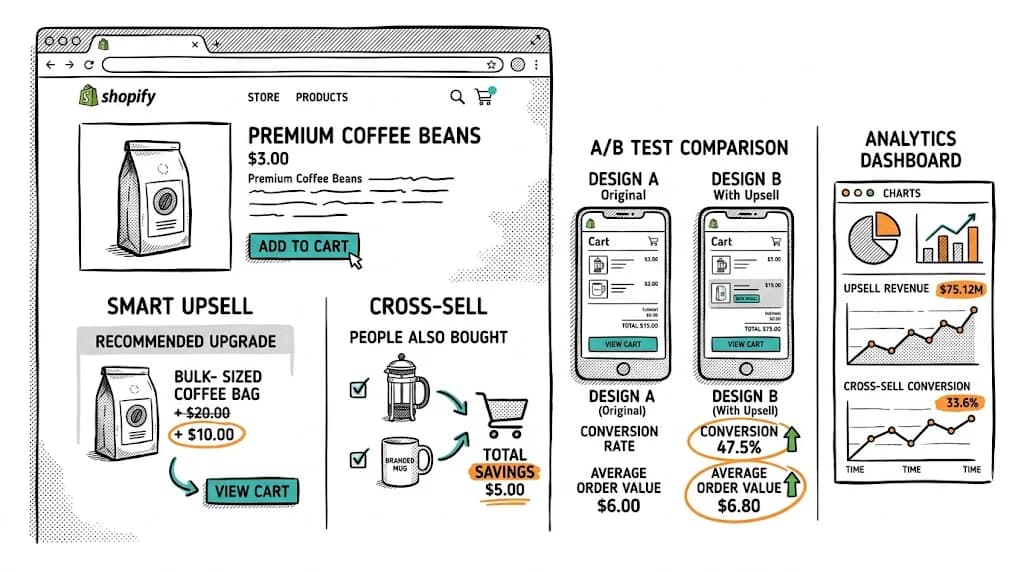
- Product upsell in cart — Relevant cross-sells vs no upsell
- Checkout button text — "Proceed to Checkout" vs "Complete My Order" vs "Buy Now"
- Cart summary formatting — Line items with images vs text-only
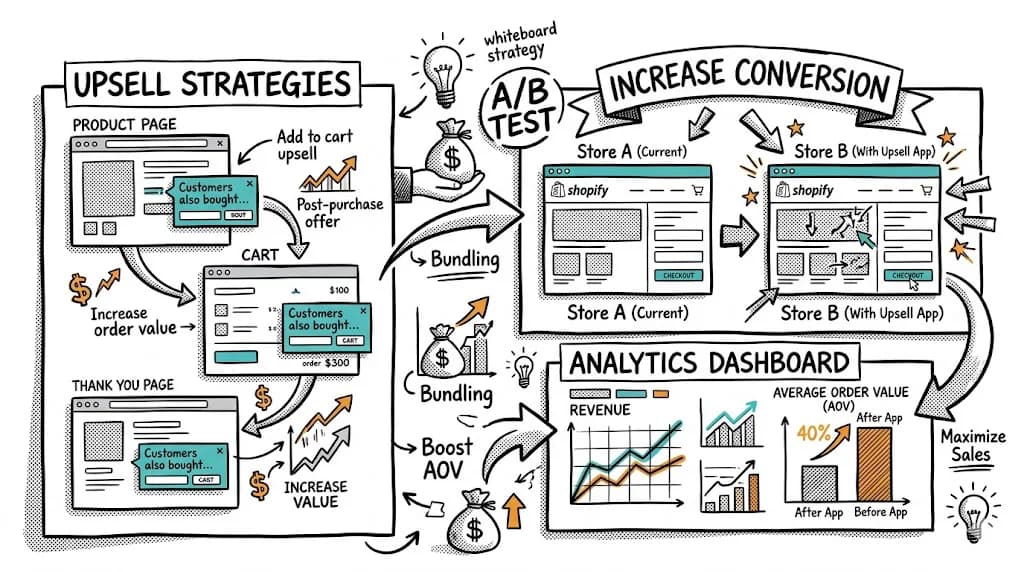
Test 6: Post-Purchase Upsell
Shopify's checkout extensibility (all plans) supports post-purchase upsell pages — shown after payment but before the thank-you page.
Test: Post-purchase upsell offer (relevant complementary product at 20% off) vs standard thank-you page
Expected impact: 8–15% upsell attach rate, 15–25% AOV lift on converting visitors
This is one of the easiest, highest-ROI checkout tests available because the buyer has already committed — they're in a peak trust state.
Cart Abandonment: Root Cause Before Testing
Before testing checkout elements, identify your specific drop-off points:
- Cart page to checkout start — If high, the issue is pre-checkout friction (trust, payment concerns, delivery questions)
- Checkout start to information complete — If high, the form is too complex or asks for too much
- Information to payment — If high, shipping costs or delivery timelines are surprising
- Payment to order complete — If high, payment method issues, CVV/OTP friction, or last-minute price concern
Each drop-off stage has different fixes. Session recordings and heatmaps on your cart page reveal where friction is highest.
Setting Up Checkout A/B Tests
For Non-Plus Stores
- Use CustomFit.ai to create variants on your cart page (the key pre-checkout page you fully control)
- Set up the A/B test for your cart page elements
- Monitor cart-to-checkout conversion rate as your primary metric
- Run for minimum 2 weeks to capture weekly purchase pattern variation
For Plus Stores
- Use Shopify's Checkout Customizer for visual changes
- Use Shopify Functions for logic-level tests (payment order, shipping options)
- Use CustomFit.ai for any pre-checkout elements and for tracking test performance
- Monitor full checkout completion rate and step-by-step drop-off
Tips / Best Practices
- Test cart page before checkout — It's the most controllable touchpoint and has massive volume for statistical significance.
- Show delivery timelines before checkout — Shipping cost surprise at checkout is a major abandonment cause. Show expected delivery dates on the cart page.
- Make COD as easy as prepaid — Don't require extra steps (like a confirmation phone call) for COD — that friction kills conversion.
- Don't remove guest checkout — Required account creation is a significant conversion killer for first-time buyers.
- Test on mobile specifically — 78%+ of Indian ecommerce traffic is mobile. A checkout fix that works on desktop may not translate.
- Capture abandonment email at Step 1 — Get the email at the first checkout step (information page). This enables cart abandonment recovery emails for visitors who drop off later.
- Monitor impact on return rate and fraud separately — Some checkout changes that improve CVR also affect order quality. Watch for anomalies.
Key Takeaways
- Shopify Plus unlocks full checkout customization and testing; non-Plus stores should focus on cart page optimization.
- COD visibility is the single highest-impact checkout A/B test for Indian D2C brands with Tier 2/3 traffic.
- Post-purchase upsell pages are available on all Shopify plans and deliver strong AOV lift with minimal friction.
- Cart page elements (shipping threshold bar, trust signals, cross-sells, checkout button) are fully testable without Plus.
- CustomFit.ai enables testing across all Shopify plan types, with no developer needed.
Related reading: A/B Testing Shopify Cart for Higher AOV | Shopify Plus A/B Testing | Shopify CRO Pillar