From the conversion glossary
Concepts referenced in this article, defined.
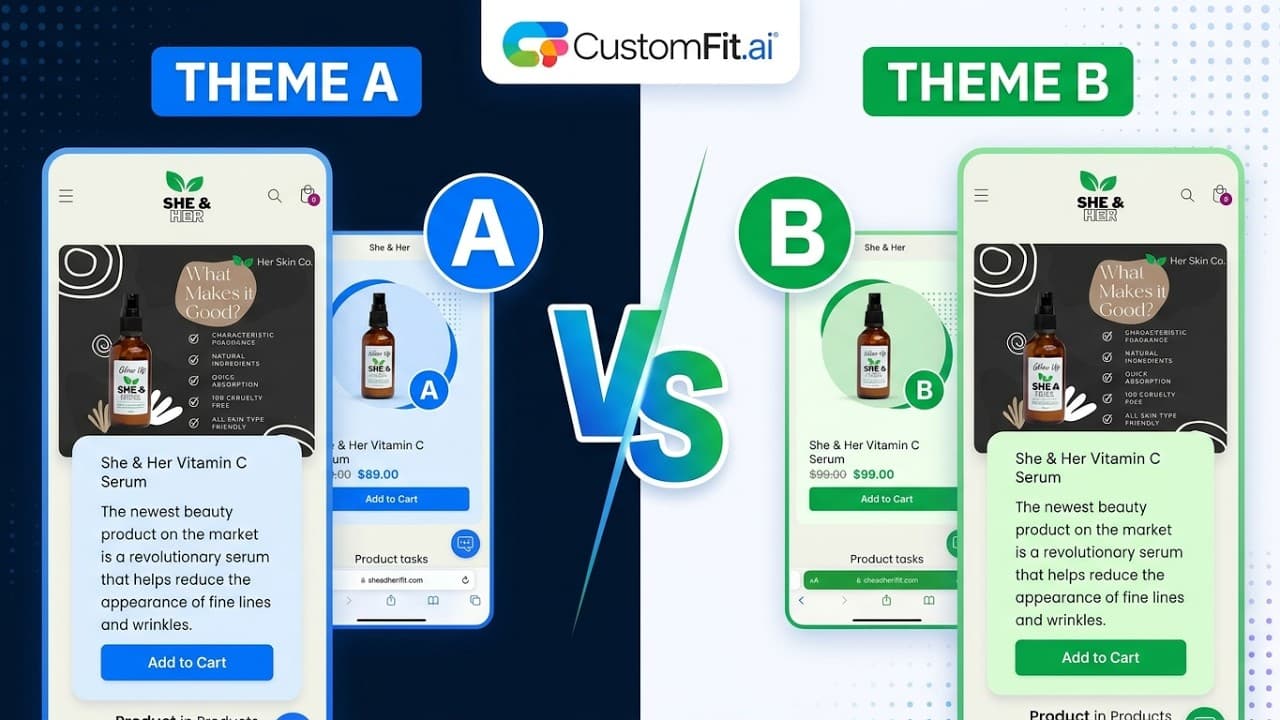
Shopify theme A/B testing lets you split traffic between your current theme and a new one — so you can measure conversion rate impact before committing. Here's how to do it with CustomFit.ai.
Concepts referenced in this article, defined.
 shopify ecommerce ab testing
Watch how to run a theme-level A/B test on your Shopify store in under 2 minutes — no code, no developer, no rebuild. Test two themes live, split your traffic, and prove which one converts before you commit.
 shopify ecommerce ab testing
Learn how to A/B test Shopify product pages — the right elements, the right metrics, and how to run statistically valid tests without developer involvement using CustomFit.ai.
Run rigorous A/B tests and personalize every visit on Shopify or any storefront — no engineers required.
Shopify theme A/B testing lets you measure the conversion rate impact of a new theme against your current theme — before you commit to the switch. It answers the question every merchant asks when considering a new theme: "Will this actually convert better?"
Without testing, theme switches are high-stakes gambles. A beautiful new theme built for aesthetics can (and often does) convert worse than the older, less polished theme visitors know.
Merchants switch Shopify themes for good reasons:
But theme switches come with conversion risk because:
A/B testing removes this risk. You measure impact before committing.
Have your new theme ready in Shopify (not published, but set up with the same products and content as your live theme)
Install CustomFit.ai from the Shopify App Store if you haven't already
Create a Theme Test in CustomFit.ai:
Launch the test — CustomFit.ai handles the traffic splitting and measurement
Visitors are assigned to either theme at the start of their session and see the same theme consistently for that session. A visitor assigned to the new theme doesn't flip back to the old one mid-session.
CustomFit.ai shows you:
Once the test reaches statistical significance (typically 95% confidence) after a minimum of 14 days:
Primary metric (choose one):
Secondary metrics (for context):
Segment your results: Always look at theme test results separately for mobile and desktop. A new theme might dramatically improve mobile CVR (which is the priority) but be neutral or slightly worse on desktop. The segment breakdown tells you the real story.
Switching theme content during the test: Don't change the theme content, product descriptions, or pricing during an active test. Changes invalidate your data.
Testing during a major promotional period: If a 50%-off sale runs during your theme test, the promotional context will dominate conversion behavior — not the theme. Run theme tests during your "normal" traffic periods.
Stopping the test when you see a trend: A theme that looks like it's winning on day 5 may reverse by day 12. Always run for the full 14 days minimum.
Not testing on mobile: Use CustomFit.ai to segment results by device. New themes often have significantly different mobile behavior than their desktop behavior.
Forgetting about page speed: If the new theme loads slower than the old one, the conversion difference you observe may be at least partially explained by load time, not design. Check Core Web Vitals for both themes using Google PageSpeed Insights during the test.
Theme A/B testing adds 4-6 weeks before a theme switch can be confirmed. In some cases, it makes sense to skip the test:
In these cases, monitor your key metrics closely in the 30 days after switching and compare to the 30 days before.
Theme A/B testing is a strategic test — not something you run continuously. Run it when:
Once you've confirmed the winning theme, shift your CRO focus to element-level tests (product page CTA, checkout form, homepage hero) for ongoing conversion improvement.
Continue reading:
Run Shopify theme A/B tests without developer involvement — install CustomFit.ai from the Shopify App Store and start your first theme test today.