From the conversion glossary
Concepts referenced in this article, defined.
Learn how to run A/B tests on your Shopify store to optimize conversions, improve user experience, and drive sales. Step-by-step guide with practical tips and tools.
Concepts referenced in this article, defined.
Run rigorous A/B tests and personalize every visit on Shopify or any storefront — no engineers required.
For Shopify store owners, optimising every aspect of their site matters for conversions and the overall shopping experience. A/B testing lets you compare alternative versions of features like product descriptions, CTA buttons, and checkout layouts to find out which one performs better. This guide walks you through setting up and running A/B tests on Shopify, with practical recommendations for getting the most out of each test.
Using data from platforms such as CustomFit.ai, we will look at how A/B testing can help you fine-tune your Shopify store and generate results without heavy technical work.
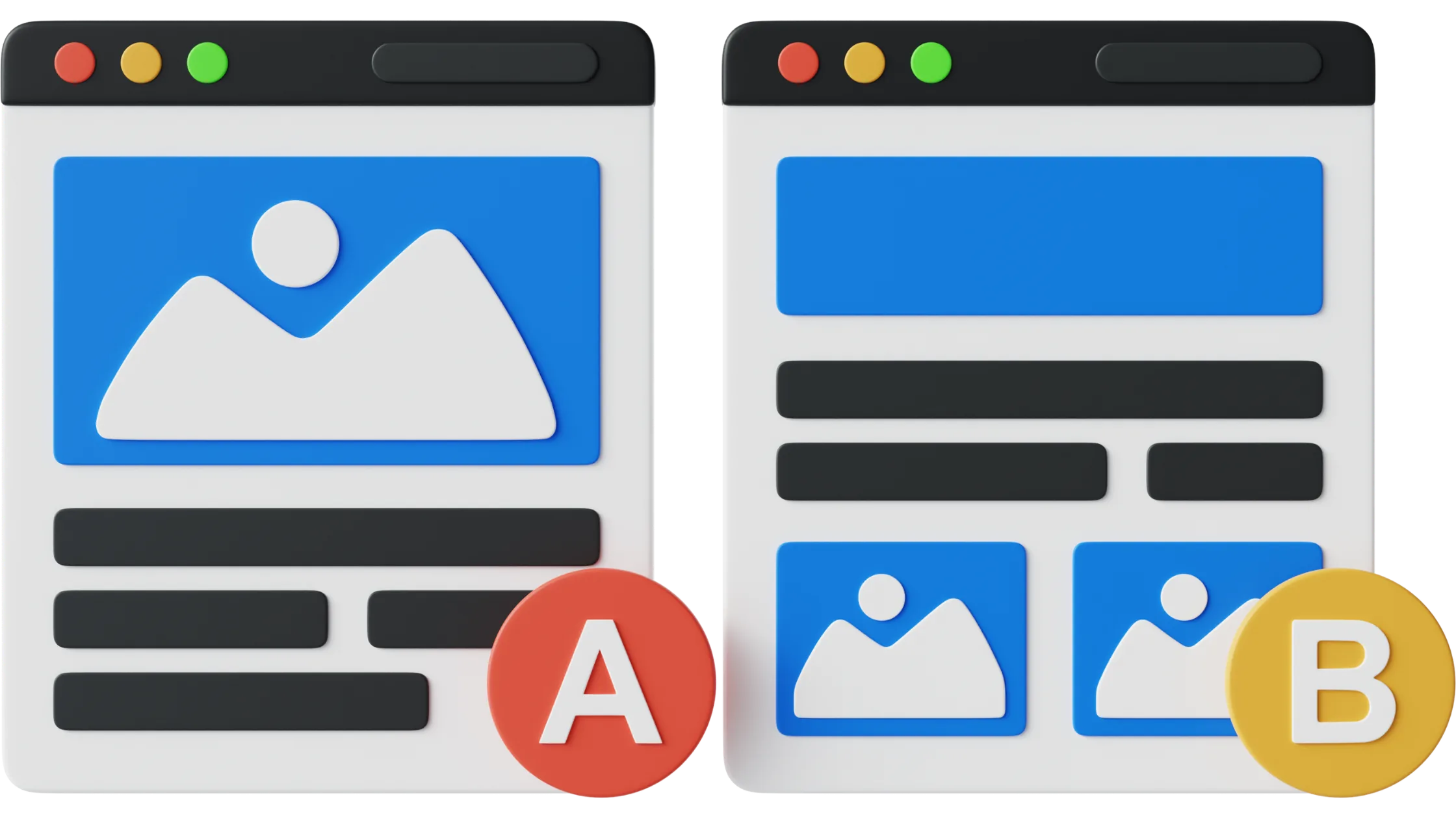
A/B testing, also called split testing, is the process of comparing two versions of a webpage element (Version A and Version B) to determine which one performs better. You might compare two different headlines or product photos to see which drives more clicks or conversions. This method reveals what customers prefer, so you can make data-driven improvements instead of relying on guesswork.
In a competitive eCommerce market, small changes can have a measurable impact on store performance. A/B testing shows what connects with your audience, cutting through guesswork and making sure every change is backed by real data. Whether you want to reduce bounce rates, increase cart completions, or improve click-through rates, A/B testing is an affordable way to reach those goals.
A/B testing on Shopify has grown more important as ecommerce brands shift focus from traffic acquisition to conversion optimisation. With rising ad costs and increasing competition, driving visitors to a store is only half the battle. What matters is how effectively that traffic converts, and that is where structured A/B testing plays a key role.
In 2026, A/B testing on Shopify goes well beyond button colours or headline tweaks. Brands now run experiments on product page layouts, pricing strategies, bundle offers, checkout flows, and collection merchandising. Many stores, for example, test different product recommendation logic on collection pages to find which product sets lead to higher add-to-cart rates. Testing shipping thresholds, urgency messaging, and discount placements has also become common practice among high-performing stores.
One notable shift is toward faster, more flexible experimentation. Earlier, running tests often required developer support and theme-level changes, which slowed down iteration cycles. Modern tools now let marketers launch experiments through visual editors, making it possible to test ideas quickly without disrupting store performance.
Another shift is the combination of A/B testing with personalisation. Rather than running the same test for all visitors, brands segment audiences and test different experiences for different groups. A first-time visitor may respond better to trust-building content, while a returning visitor might convert faster when shown personalised product recommendations or limited-time offers. Combining personalisation with A/B testing uncovers more detailed insights and improves overall conversion rates.
Platforms like CustomFit.ai are built for ecommerce use cases, enabling Shopify stores to run experiments across product pages, landing pages, and checkout journeys without heavy engineering effort. Teams can continuously optimise based on real user behaviour rather than assumptions.
As Shopify continues to grow, A/B testing is becoming a core growth practice rather than an optional one. Stores that consistently test and iterate are better placed to identify what drives conversions and build experiences that match customer intent.
Start with a clear goal before setting up any test. Ask yourself what you want the A/B test to achieve. Do you want to increase the conversion rate on product pages? Improve click-through rates on homepage banners? A specific objective will help you choose the right element to test and measure progress accurately.
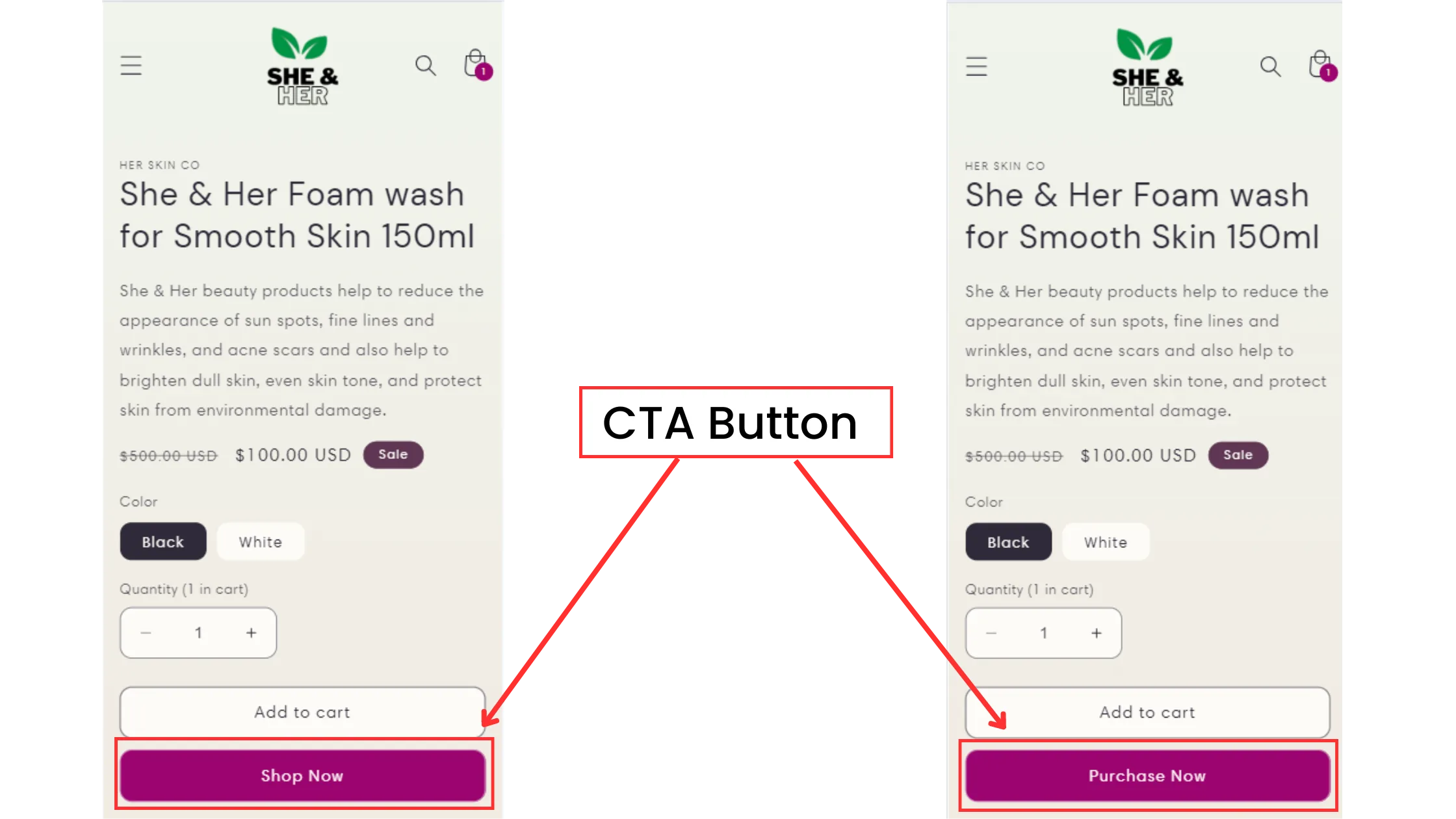
Once you have your goal, choose the specific element you want to test. Test each element separately so you can isolate its effect. Testing multiple elements at once produces mixed results, making it difficult to tell which change caused any improvement you see.
Product titles and descriptions: Compare different approaches, such as detailed descriptions versus short, benefit-focused ones.
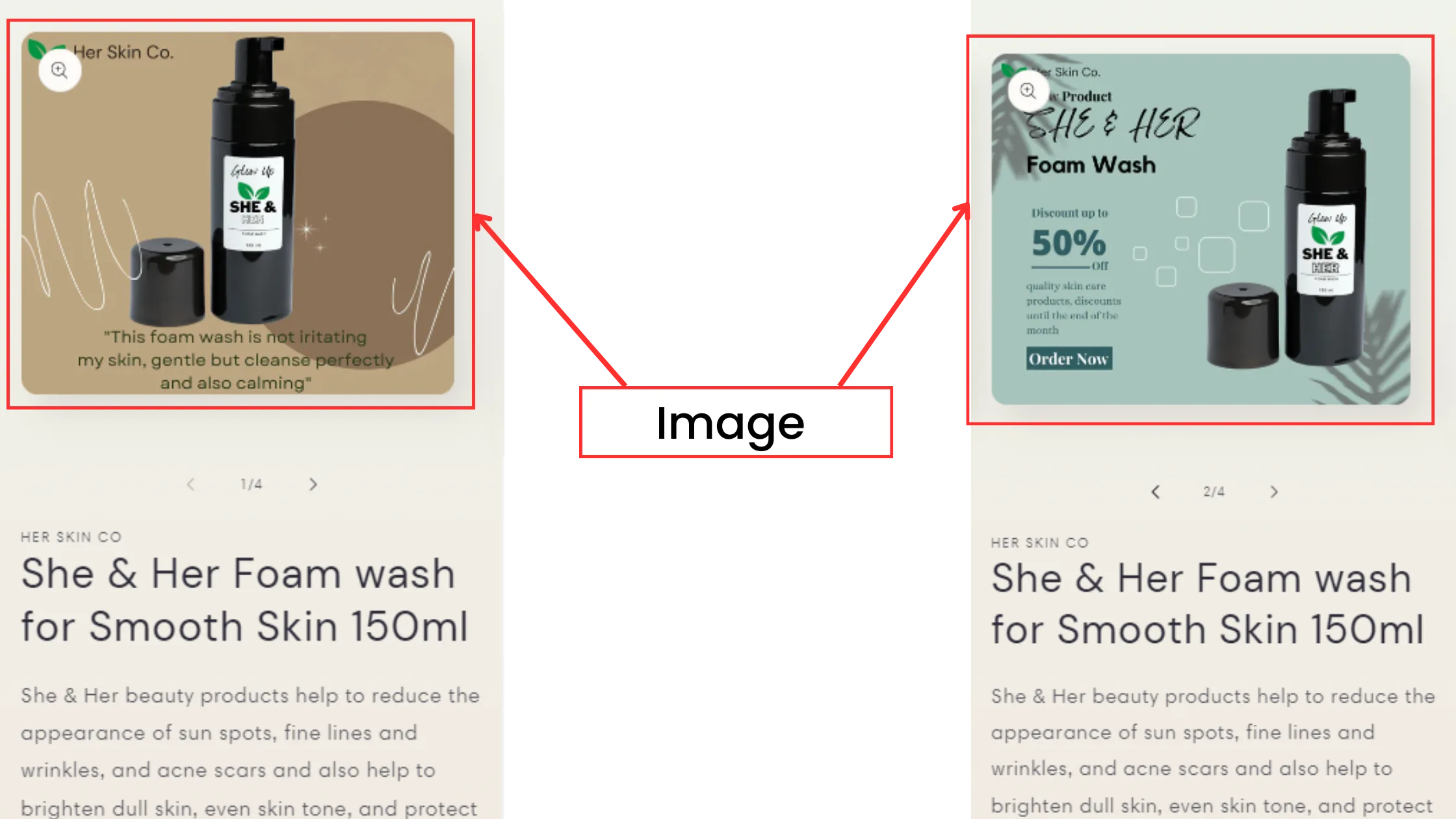
Images: Compare standard product photos with lifestyle shots or videos to see which drives more clicks.
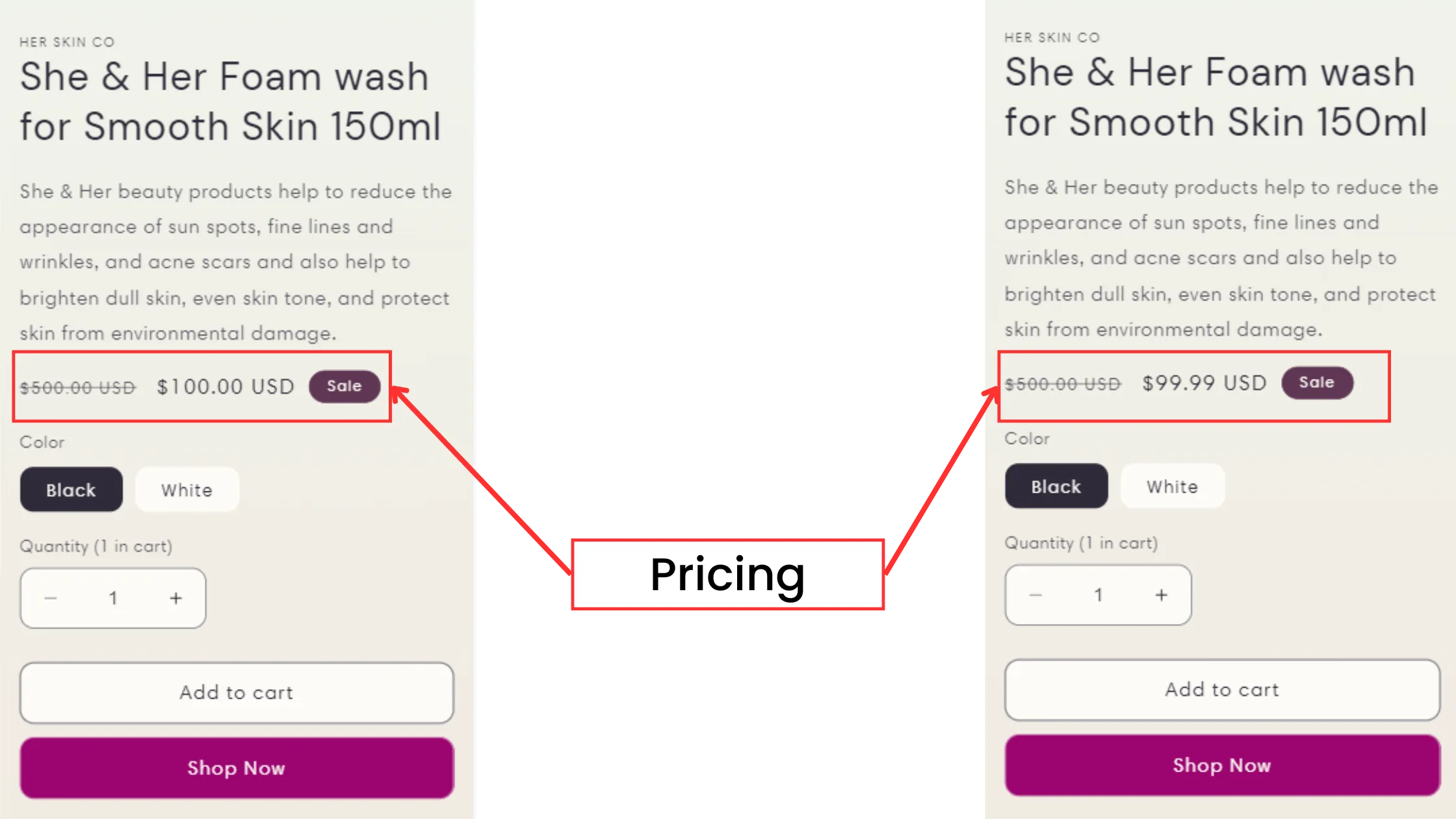
Pricing display: Test showing discounts directly on the price tag rather than in a separate discount banner.
After picking the element, create two versions: the control (Version A) and the variant (Version B). The control is your current version; the variant includes one specific change you want to test. If you are testing product photos, for instance, the control might be a high-quality product image and the variant a lifestyle photo showing the item in use.
CustomFit.ai can help here by letting you set up and manage A/B tests on Shopify without requiring deep technical knowledge. The setup process is straightforward enough for non-technical users to build variants and run tests.
If you prefer not to code changes or set up variants manually, the CustomFit app installs directly on your Shopify store. It lets you create and manage A/B test variations with a visual editor, with no technical skills required.
With your variations ready, start the test. Most Shopify-compatible A/B testing tools let you split traffic evenly, sending 50% of visitors to Version A and 50% to Version B. This split lets you compare user behaviour between versions and collect reliable data.
Testing tip: Run your test long enough to reach a statistically meaningful sample size. Ending a test too early can produce misleading results. Plan to run it for at least 1-2 weeks, depending on your store's traffic levels.
After the test, review the results to see which version performed better. Focus on the metrics tied to your original goal, such as conversion rate, click-through rate, and average session time. If the variant outperformed the control, you can confidently make the change site-wide.
CustomFit.ai provides detailed reports on user interactions, showing you which version connected better with your audience. By reviewing how visitors engaged with each variant, you can make informed decisions about which changes to apply across your store.
To make this easier, CustomFit.ai generates in-depth reports inside Shopify. You can see how each variation performs and track metrics like conversion rate uplift and bounce rate reduction without leaving your dashboard.
Download CustomFit AI A/B Testing & CRO Shopify App
Once you have identified the winning version, roll out the changes gradually rather than all at once. If a new CTA button design improves conversions, for example, apply it across pages in stages. This approach lets you monitor the impact closely and catch any unexpected issues before they affect the entire store.
A/B testing is a continuous process, not a one-time task. Customer preferences and market conditions change, so regular testing keeps your store aligned with what visitors actually want. Ongoing tests help you stay ahead of shifts in behaviour and continuously improve performance.
Focusing tests on high-impact areas will produce the most useful results. Some good starting points:
Product pages:
Checkout process:
Homepage banners:
Landing pages:
Define specific objectives before running any test. Vague goals produce vague results. A measurable target helps you evaluate whether the test was successful.
Each test should focus on a single element. Testing multiple elements at once makes it difficult to identify which change caused any difference in results.
Your store needs enough visitors to produce statistically reliable results. Tests run on low-traffic pages may produce unreliable findings.
Use CustomFit.ai analytics to track results in real time. Consistent data tracking lets you refine tests based on actual user behaviour.
If you are using CustomFit on Shopify, tracking becomes simpler because the app records engagement and conversions automatically, without manual number crunching.
Download CustomFit AI A/B Testing & CRO Shopify App
Gradual rollouts reduce the risk of disrupting the user experience and give you time to monitor impact before applying changes everywhere.
A/B testing, also known as split testing, compares two versions of a webpage element to determine which performs better based on metrics such as click-through rate or conversion rate.
A/B testing produces data-driven insights that help you optimise your site for better engagement, conversions, and overall performance. It removes guesswork and shows what actually works with real customers.
You can test product descriptions, photos, CTA buttons, checkout layouts, site banners, and landing page headlines, among other elements.
CustomFit.ai is a platform for A/B testing on Shopify. It lets you set up tests, analyse results, and track key metrics. The personalised recommendations feature also helps you build more targeted customer experiences.
Test duration depends on your store's traffic, but most tests need at least 1-2 weeks to collect enough data for reliable conclusions.
Key metrics to track include:
A/B testing done properly should not harm your store. The main risk is drawing conclusions from small sample sizes too early, which can lead to poor decisions.
A/B testing works best as a continuous practice. Regular tests help you keep your store's performance in line with customer expectations over time.