CustomFit.ai — Website personalization, A/B testing and CRO for Shopify and D2C
Product
Features
✱
Website Personalization
Adapt to each visitor's behavior & intent
⧖
A/B & Multivariate Testing
Rigorous experimentation
✨
AI CopilotNEW
Personalize with a prompt
🤖
AI WingmanNEW
Auto-optimize toward winners
🎯
AI Conversion OptimizerNEW
GPT-grade test ideas
✎
No-Code Visual Editor
Drag-and-drop edit any element
▦
Product Recommendations
Personalized recs that lift AOV
⚑
Feature Flags
Ship safely with kill-switches
◧
Chrome Extension
Edit your store in the browser
⧉
Shopify, WooCommerce & more
All platform integrations
View all features →
Use Cases
$
Price A/B Testing
Test price points to maximize revenue
▦
Theme A/B Testing
Compare whole layouts & designs
🗂
Template A/B Testing
Test whole PDP/PLP templates
🏷
Discount A/B Testing
Find the offer that converts
🚚
Shipping A/B Testing
Thresholds, speed & copy
✍
Content A/B Testing
Copy, images & reviews
💳
Checkout Gateway A/B
Payments & one-click
⌖
Geo-Based Personalization
Per-location content & offers
⚡
Buyer-Intent Nudges
Exit-intent & retargeting
↔
Split-URL / Redirection
Full-page redirect tests
View all use cases →
Solutions & Guides
⤢
Conversion Rate Optimization
The complete CRO guide
⧖
A/B Testing Software
Buyer's guide for D2C
🛒
Cart Abandonment Recovery
Win back lost carts
📰
Landing Page Optimization
Convert more paid traffic
S
Shopify A/B Testing
Test your store, no code
S
Shopify Personalization
Tailor the store per shopper
◔
First-Time Visitor Offers
Convert new shoppers with trust & offers
★
Repeat-Customer Experiences
Reward and re-engage loyal buyers
◎
Campaign-Matched Pages
Match the landing page to the ad
⌖
Location-Based Experiences
Currency, language & regional offers
Explore CRO →
Customer stories
GIVA
+32%
conversion via personalized recs
GIVA
Mamaearth
+18%
revenue lift from PDP A/B tests
ME
The Sleep Company
+24%
AOV from product recommendations
TSC
Read customer stories →
Integrations
SWsfGA+15
✦
Not sure where to start?
Let AI Copilot pick your first tests

“We wake up to evidence-backed tests ready to deploy — not a backlog of maybe ideas.”

AN
Anirudh S.
Growth · Chargebee
★★★★★4.8on G2 · 2,400+ brands
Talk to our team →
Widgets
Integrations
Ecommerce & Checkout
Shopify
Shopline
Shoplazza
GoKwik
ShopFlo
Razorpay Magic Checkout
Breeze
Shiprocket
View all integrations →
Analytics & Behavior
Google Analytics 4
Microsoft Clarity
Hotjar
Mixpanel
Amplitude
Heap
Adobe Analytics
Segment (CDP)
View all integrations →
Engagement, CRM & More
Klaviyo
MoEngage
CleverTap
WebEngage
HubSpot
Salesforce
Slack
Meta Ads
View all integrations →
CustomersPricing
Resources
CRO
▤
Playbooks
Proven strategies to boost conversions
🎙
Interviews
D2C leaders & marketing experts
▶
Webinars
Live deep dives & product sessions
Learn
✎
Blog
Tips, experiments & best practices
📕
Free E-Books
Mastering personalization
📖
Conversion Glossary
Every CRO term, defined
✦AI CopilotNEWLog inBook a demo
Start free trial
Select your platform — Install in 2 minsWe'll tailor the setup
⚡ Risk-free 14-day trial · No credit card · Cancel anytime
S
Shopify
Install from Shopify App Store
›
W
WooCommerce
Install the WooCommerce plugin
›
B
BigCommerce
Install from BigCommerce App Marketplace
›
SL
Shopline
Install from Shopline App Store
›
M
Salesforce / Magento
Install from the marketplace
›
SZ
Shoplazza
Install from Shoplazza App Store
›
WP
WordPress / Webflow
Install plugin or paste the script
›
◧
Others
Custom-built on React, Next.js, etc.
›
Tip: pick your platform — we handle the restBook a demo →
Product
Website PersonalizationA/B & Multivariate TestingAI CopilotAI WingmanAI Conversion OptimizerNo-Code Visual EditorProduct RecommendationsFeature FlagsView all features →
Use Cases
Price A/B TestingTheme A/B TestingTemplate A/B TestingDiscount A/B TestingShipping A/B TestingContent A/B TestingCheckout Gateway A/BGeo-Based PersonalizationBuyer-Intent NudgesSplit-URL / Redirection
Solutions & Guides
Conversion Rate OptimizationA/B Testing SoftwareCart Abandonment RecoveryLanding Page OptimizationShopify A/B TestingShopify Personalization
Explore
WidgetsIntegrationsCustomersPricing
Resources
BlogPlaybooksWebinarsInterviewsE-BooksConversion Glossary
Platforms
ShopifyShoplineShoplazzaChrome ExtensionAll integrations
Start free trialBook a demo
Home›Blog›product page›Product Photography for Higher Conversions

Product Photography for Higher Conversions

AKAshwin KumarCo-Founder & CEO, CustomFit.aiJanuary 15, 20259 min read
On this page
  1. Why Photography Directly Drives Purchase Decisions
  2. The Image Types Every Product Page Needs
  3. Lighting: The Difference Between Amateur and Professional
  4. Photography for Mobile: The Format That Matters Most
  5. UGC vs. Professional Photography
  6. A/B Testing Photography for Conversion Lift
  7. Category-Specific Photography Notes
  8. Tips / Best Practices
  9. Key Takeaways
0%
Product Photography for Higher Conversions

From the conversion glossary

Concepts referenced in this article, defined.

Definition
What Is Lazy Loading? Definition & Guide
Definition
What Is Lift? Definition, Formula & Guide
Definition
What Is Page Speed? Definition & Guide
Definition
What Is Run Time? Definition, Formula & Guide
Definition
What Is Social Proof? Definition & Guide
← Back to Product Page guide
Try CustomFit.ai

Run A/B tests and personalize your store without code. 14-day free trial, no credit card.

Start free trial →
Share
XLinkedInEmail

Related articles

product page

Size Guide Optimization for Fashion Ecommerce

Sapna Johar· 8 min read
product page

Product Video: How It Impacts Conversion Rates

Ashwin Kumar· 9 min read
product page

Product Reviews Strategy for Ecommerce

Ashwin Kumar· 8 min read

Start lifting conversions today.

Run rigorous A/B tests and personalize every visit on Shopify or any storefront — no engineers required.

Start free trialBook a demo

Built for every D2C category

🧴
Skincare
💄
Beauty
🌿
Wellness
☕
F&B
👟
Apparel
💍
Jewelry
🛋️
Home
🍼
Baby
Live · Right now
Mamaearth — free-shipping band +12.4% AOVGIVA — festive collection page +34% revenueBellavita — PDP CTA test +27.4% CVRKapiva — Quiz-driven recs +9.48% CTRThe Sleep Co — landing personalized 2× capturesPlum — Returning shopper swap +18.2% CVRMamaearth — free-shipping band +12.4% AOVGIVA — festive collection page +34% revenueBellavita — PDP CTA test +27.4% CVRKapiva — Quiz-driven recs +9.48% CTRThe Sleep Co — landing personalized 2× capturesPlum — Returning shopper swap +18.2% CVR
Get in touch

Tell us about your store.

We reply within an hour during business hours. No sales pitch, no spam — just answers from someone who's seen 2,400+ D2C stores.

✓ Reply within 1 hour✓ No spam, ever✓ Free demo & setup help
✓ Thanks! We'll be in touch shortly.
CustomFit.ai

The all-in-one website personalization, A/B testing & CRO platform for high-growth D2C brands. Made by marketers, fueled by coffee.

in𝕏◎▶f
Product
  • Features
  • A/B Testing
  • Personalization
  • AI Copilot
  • AI Wingman
  • AI Conversion Optimizer
  • Feature Flags
  • Widgets
  • Integrations
  • ROI Calculator
Platforms
  • Shopify
  • Shopline
  • Shoplazza
  • Salesforce
  • Chrome Extension
  • All Integrations
Resources
  • Blog
  • Playbooks
  • Webinars
  • GrowthFit Interviews
  • Free E-Books
  • Conversion Glossary
  • Case Studies
Compare
  • vs VWO
  • vs Optimizely
  • vs Google Optimize
  • vs Mutiny
  • vs Intelligems
  • vs Shoplift
  • vs AB Tasty
  • vs Convert
  • vs Kameleoon
Company
  • About Us
  • Partners
  • CustomFit Awards
  • Recognition
  • Contact
  • Privacy Policy
  • Terms & Conditions
© 2026 CustomFit.ai · Valley Monks Pvt Ltd · Made by marketers, fueled by coffee, and obsessed with conversions.
SOC 2 Type II · GDPR · CCPA · ISO 27001

Product photography is the closest substitute online shoppers have for touching, trying, and examining a product in person. When it falls short, conversions fall with it—no amount of compelling copy or aggressive pricing fully compensates for images that don't inspire confidence. The brands that understand photography as a conversion tool, not just a visual element, systematically outperform those that treat it as a checkbox.

Why Photography Directly Drives Purchase Decisions

Online shoppers can't pick up your product, feel its weight, check the stitching, or see how the color looks in natural light. Photography has to do all of that work.

Research consistently shows that image quality ranks as the top purchase factor in ecommerce—ahead of price, shipping speed, and even product reviews. This isn't surprising when you think about the psychology: a blurry, poorly lit image signals "we don't care about quality," even if the product itself is excellent. A crisp, multi-angle, well-styled image signals "we're proud of this product and we want you to see everything."

For Indian D2C brands, this matters particularly for categories where customers have trust barriers—skincare (will this cause reactions?), supplements (what does the actual product look like?), apparel (how does this fit on a real body?), and electronics (what ports and connections does this actually have?).

The conversion math: If your product page converts at 2% and better photography lifts this to 2.7%, that's a 35% increase in revenue from the same traffic—without touching ads, pricing, or any other element.

The Image Types Every Product Page Needs

Not all product images serve the same purpose. A complete image set typically needs 5–8 images across different types:

1. Hero/Primary Image

The image shown in search results, category pages, and as the default on the product page. Usually a clean, neutral background (white or light grey) with the product centered. This image needs to be immediately recognizable at thumbnail size.

Do: High contrast between product and background, full product visible, professional lighting Avoid: Drop shadows that obscure edges, excessive negative space, multiple props competing with the product

2. Multiple Angles

Front, back, side, and top views give customers the spatial understanding they'd get from holding the product. For a bag: front (shows the design), back (shows the harness/strap attachment), inside (shows interior pockets), and base (shows durability details). For a skincare bottle: full front, label close-up, pump/cap detail.

3. Close-Up / Detail Shots

Material texture, stitching quality, hardware finish, ingredient labels, print quality—whatever communicates craftsmanship specific to your product. These images address "but how does it actually look up close?" anxiety.

For brands like Sugar Cosmetics or mCaffeine, close-up shots of formulation texture and packaging quality significantly influence purchase confidence.

4. Model / In-Use Images

Humans buy what they can imagine themselves using. A model wearing your kurta tells buyers more about fit, drape, and scale than any flat lay. A lifestyle image of someone applying your face serum creates product aspiration. For non-apparel products, in-use images demonstrate application or use context.

5. Scale Reference Image

Size is frequently misjudged from product images alone. Including a scale reference—a hand, a coin, a common object—prevents the disappointment that drives returns ("I didn't realize how small this was").

6. Lifestyle/Context Image

The product in a real or aspirational setting. A coffee mug on a morning desk. A backpack in a travel context. These images sell the lifestyle, not just the product, and tend to generate the strongest emotional response.

7. Packaging Shot

Especially important for gift-worthy products. Good packaging builds perceived value. Showing the box, wrapping, or presentation communicates the unboxing experience.

Lighting: The Difference Between Amateur and Professional

Lighting is the single most important technical element in product photography. Good lighting cannot be fully rescued in editing; bad lighting shows regardless of post-processing.

Natural light: Works well for lifestyle and context images. Soft, directional natural light from a window creates warm, authentic images that perform well for beauty, food, and wellness categories. Avoid direct sunlight which creates harsh shadows.

Studio/continuous lighting: Provides consistent, controlled results. A basic two- or three-light setup (key light, fill light, background light) eliminates shadows and creates the clean look that product pages require.

Lightbox: For small products (jewelry, electronics accessories, skincare), a lightbox setup is cost-effective and produces consistent results. Many Indian D2C brands use lightbox photography effectively for marketplace listings.

Color temperature consistency: All images in a set should have matching color temperature. Mixed warm and cool images on the same product page look unprofessional and create doubt about which image represents real color.

Photography for Mobile: The Format That Matters Most

Over 70% of D2C ecommerce traffic in India comes from mobile. Product photography must be optimized for the mobile experience—not just the desktop view.

Square formatting (1:1): Performs well on mobile product pages. Images fill the screen width without letterboxing or zooming issues.

Portrait formatting (4:5): Slightly taller than square, this format shows more product area on mobile screens and tends to perform well for apparel and full-height products.

Landscape (16:9): Usually a poor choice for product pages on mobile. The product appears small relative to screen size.

Image file size: Large image files slow page loads, which directly hurts conversion. Use WebP format, compress images to under 200KB without perceptible quality loss, and use lazy loading for gallery images below the fold.

Test on actual devices, not just desktop browser "mobile views." The experience on a budget Android phone (the most common device among Indian shoppers) is different from an iPhone or desktop simulation.

UGC vs. Professional Photography

User-generated content (customer photos and videos) has a different conversion function than professional photography.

Professional images build aspiration and establish quality. UGC builds trust and handles skepticism. They're not competing—they're complementary.

Brands like Mamaearth, Nykaa, and Boat actively collect and display customer photos on product pages because:

  • UGC photos show the product in real conditions (not studio lighting)
  • Real customers of different skin tones, body types, and ages make the product more relatable
  • The authenticity of UGC signals that real people actually bought and used this

How to collect quality UGC:

  • Post-purchase email requesting photos at the 7–14 day mark (after use)
  • Instagram hashtag campaigns with re-share incentives
  • Review prompts that encourage photo submission with review

Display UGC in a dedicated section on the product page, clearly labeled as customer photos. It sits alongside professional images, not as a replacement.

A/B Testing Photography for Conversion Lift

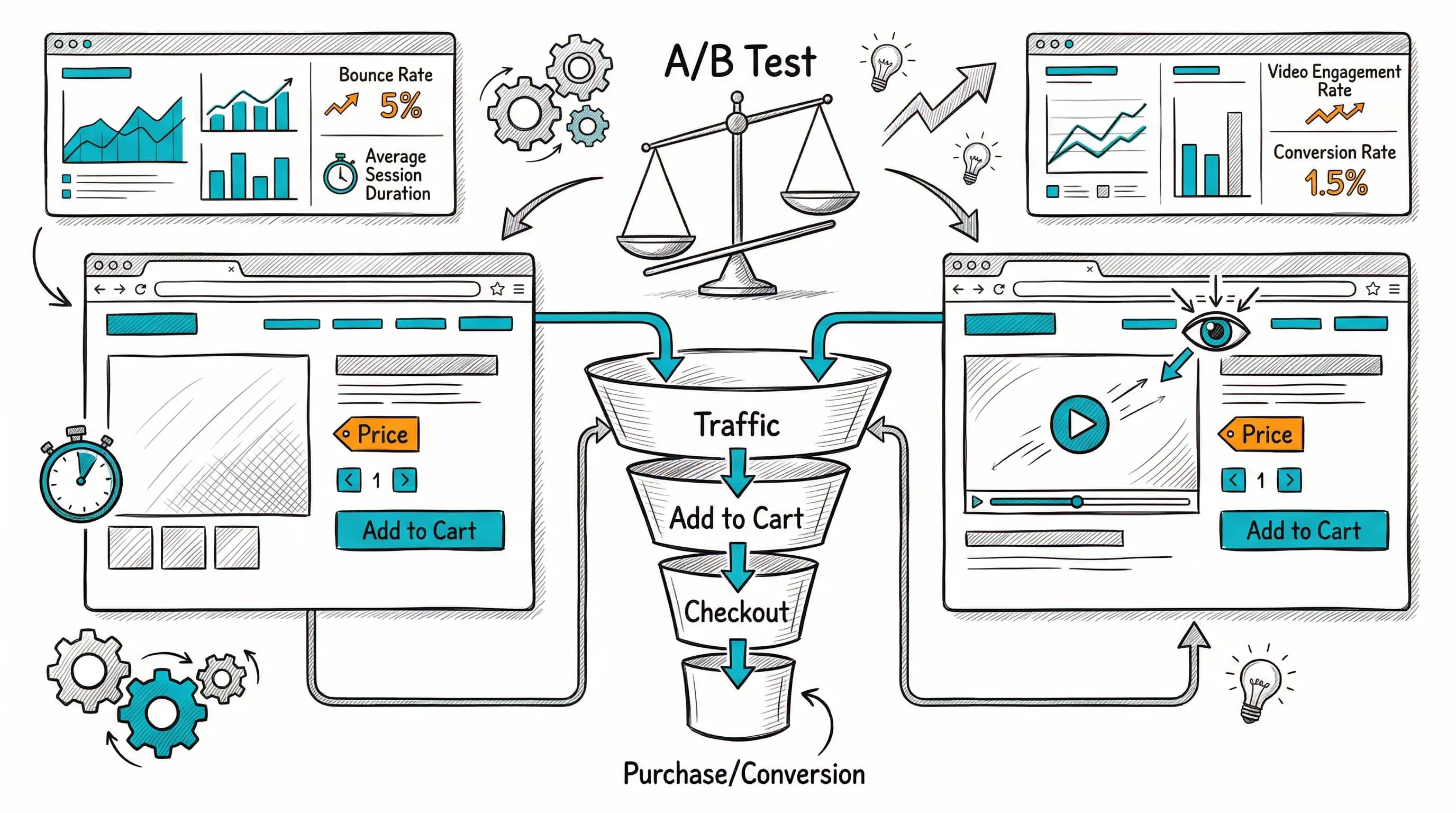
Photography decisions shouldn't be made by gut feel. Test them.

High-value photography tests:

Hero image style: Model wearing vs. flat lay vs. lifestyle. Winner varies by category. Test with 2-week minimum run time and at least 200 conversions per variant.

Background color: Pure white vs. brand color vs. neutral grey. Category-dependent; often neutral outperforms white for fashion categories.

Number of images shown: Does showing 8 images in the gallery hurt conversion vs. 5 curated images? Some categories benefit from comprehensive coverage; others from editorial curation.

Video vs. static as first image: A product video as the gallery hero performs very well for categories where motion matters (apparel fit, texture, mechanism).

CustomFit.ai enables these tests on Shopify without developer involvement. Set up image swap tests, split traffic, and measure impact on add-to-cart rate in the dashboard.

Category-Specific Photography Notes

Apparel (fashion, ethnic wear): Model images are essential. Flat lays alone underperform significantly. Show front, back, and detail. Include size reference on the model (model height and size worn).

Skincare and beauty: Texture shots, ingredient visuals, and before/after (where honest and FTC/ASI-compliant) all perform well. Close-up of packaging quality matters.

Food and supplements: Appetite appeal (professional food styling), ingredient visuals, and packaging shots. For supplements: the actual product (capsule/powder) alongside the packaging.

Electronics and gadgets: Multiple angles, port/connection close-ups, scale reference, and in-use context. Exploded views showing what's included in the box reduce post-purchase disappointment.

Jewelry: See our dedicated guide Jewelry D2C India. Macro shots and video are especially important.

Tips / Best Practices

  1. Invest in a hero image that works at thumbnail size. If it doesn't catch attention in a category grid at 300px, traffic won't even reach your product page.
  2. Always include a scale reference. Size disappointment is a leading cause of returns; set expectations accurately in the images.
  3. Show the product being used by a real person. For any product that is worn, applied, or used, in-use model images outperform product-only shots.
  4. Compress images without losing quality. Use WebP format and tools like Squoosh to get under 200KB per image. Page speed is a conversion factor.
  5. Collect UGC actively. Post-purchase email with an image request at day 10–14 is the most effective collection mechanism.
  6. Test your hero image before committing. A/B test at minimum a flat lay vs. lifestyle image as the default hero to find what converts best for your category.
  7. Keep color temperature consistent across all images in a set. Mixed lighting color tones make the product page look unprofessional.
  8. Film a 10-second product video for your top SKUs. Movement conveys texture, drape, and material quality that static photography cannot.
  9. Show the packaging. Especially for gift-relevant products, packaging quality signals the product quality inside.
  10. Mobile-test every product image you publish. View on an Android mid-range device—the most common shopping device in India.

Key Takeaways

  • Product photography is the primary conversion tool for online retail. It substitutes for the tactile, visual, and spatial cues that physical retail provides automatically.
  • A complete image set (hero, angles, close-up, model, lifestyle, scale reference, packaging) gives customers the information they need to buy with confidence.
  • Lighting and image file format are technical foundations—professional lighting and WebP compression are minimum standards for competitive D2C stores.
  • UGC and professional photography serve different conversion functions: professional images build aspiration; UGC builds trust. Both belong on product pages.
  • A/B testing photography decisions—hero image style, background, number of images—reveals what actually converts in your specific category and audience.
  • Brands using CustomFit.ai can test image variations without developer support and see conversion data within days of launching a test.

Links: Conversion Rate Optimization | Add-to-Cart Rate | Social Proof | Product Page Optimization Pillar | Product Page Layout Best Practices | Product Video Conversion Rates