From the conversion glossary
Concepts referenced in this article, defined.
Concepts referenced in this article, defined.
Run rigorous A/B tests and personalize every visit on Shopify or any storefront — no engineers required.
Hotjar is the better tool for most D2C brands. It's more affordable at entry level, its heatmaps and session recordings are high quality, and the survey and feedback features add a qualitative research layer that Crazy Egg doesn't have. Crazy Egg has a genuine edge in its A/B testing feature and its scrollmap visualization, and it's been around longer. But for a brand getting started with behavioral analytics, Hotjar's free plan and broader feature set make it the default recommendation. Neither tool replaces dedicated A/B testing. Both are diagnostic tools that help you understand where problems exist, not fix them.
Crazy Egg is a website analytics tool that provides heatmaps, scrollmaps, session recordings, and A/B testing. Founded in 2006, it's one of the original heatmap tools. Crazy Egg's heatmaps show where visitors click, and its scrollmaps show how far down the page visitors scroll before leaving. It has a built-in A/B testing feature called "Traffic Analyzer" that lets you test page variants directly within the platform.
Hotjar is a behavior analytics platform offering heatmaps, session recordings, on-site surveys, and user feedback widgets. It's popular with product teams and marketers alike because it combines quantitative behavioral data (where people click, how far they scroll) with qualitative data (what users say in surveys). Hotjar has a free tier and is used by over 1 million websites globally.
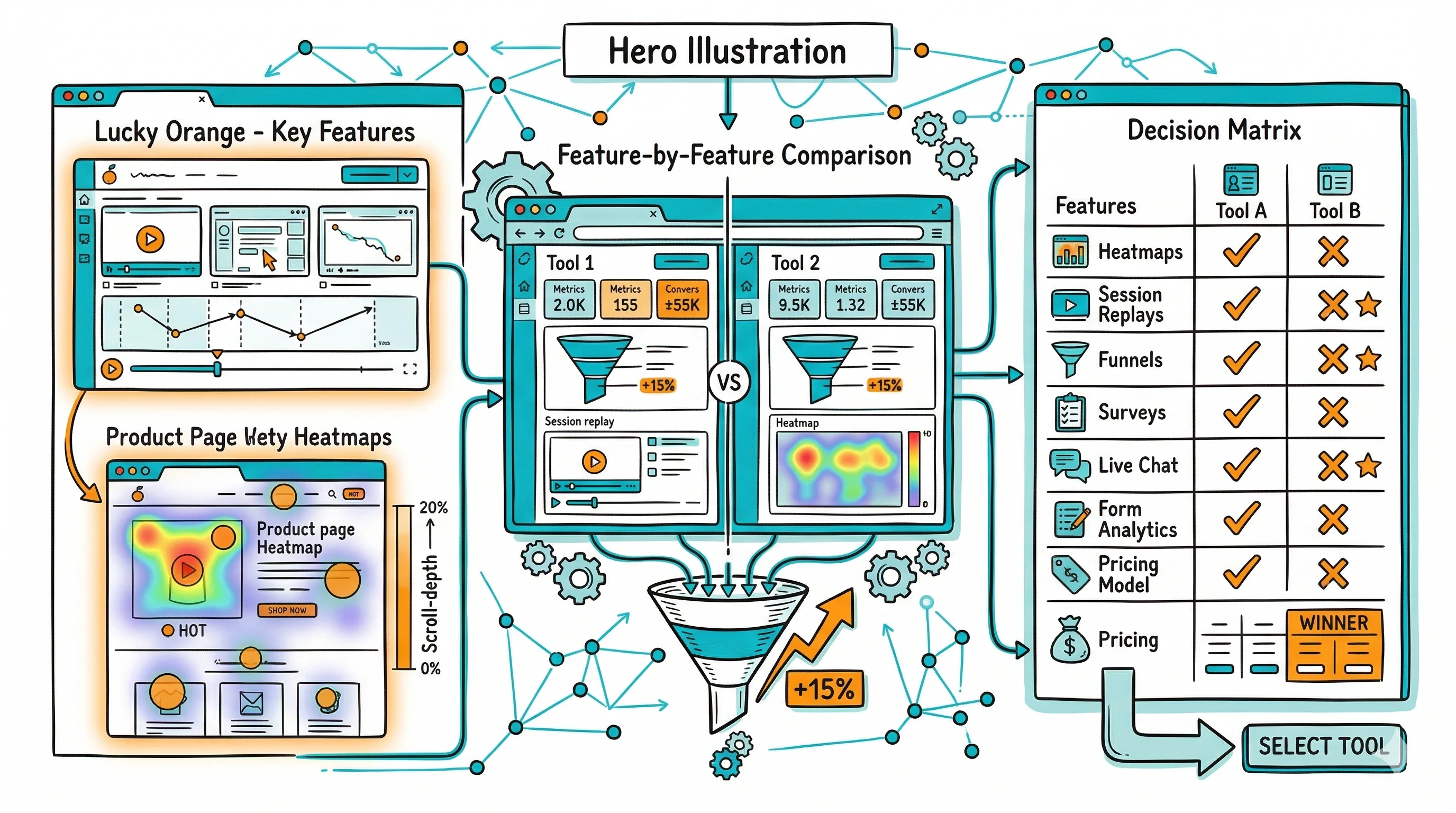
| Feature | Crazy Egg | Hotjar |
|---|---|---|
| Click heatmaps | Yes | Yes |
| Move/hover heatmaps | Yes | Yes |
| Scroll maps | Yes (strong) | Yes |
| Session recordings | Yes | Yes |
| On-site surveys | No | Yes |
| Feedback widgets | No | Yes |
| Built-in A/B testing | Yes | No (deprecated) |
| Funnel analysis | Basic | Yes |
| Form analytics | No | Yes |
| Shopify integration | Yes | Yes |
| Free plan | No (30-day trial) | Yes (limited) |
| Entry-level pricing | $29/month | Free / $39/month paid |
Both tools produce reliable heatmaps. Hotjar's click heatmaps are visually polished and update in near-real-time. Crazy Egg's scrollmaps are slightly more detailed and give you a precise percentage of visitors who reached each point on the page, which is useful for determining the optimal content placement above the fold.
Session recordings in both tools capture mouse movement, clicks, scrolls, and page transitions. Hotjar's recordings include rage click detection (when a user repeatedly clicks an element in frustration) and u-turn detection (when a user navigates to a page and immediately leaves). These built-in annotations make it easier to identify problem sessions without watching all recordings manually.
This is where Hotjar pulls ahead. On-site surveys let you ask visitors questions at key moments: after a purchase, after abandoning a cart, after spending 60 seconds on a product page. The answers tell you why visitors behaved the way they did, which heatmaps alone can't tell you.
For D2C brands specifically, survey insights often reveal the exact objections preventing purchase: delivery concerns, size uncertainty, trust issues, price perception. These insights then directly inform what to A/B test. Crazy Egg has no equivalent feature.
Crazy Egg has a built-in A/B testing module. You can create variant pages, split traffic, and measure which version gets more clicks or conversions. It works, but it isn't as statistically rigorous as dedicated A/B testing platforms. The testing module is best for quick directional tests, not for major product page decisions that require high statistical confidence.
Hotjar removed its built-in A/B testing feature years ago and positions itself purely as a diagnostic tool, not a testing tool.
Hotjar's free plan is genuinely useful: 35 daily sessions recorded, basic heatmaps, and limited survey responses. Paid plans start at $39/month (Plus) for higher session volumes. For most growing D2C brands, the Plus plan is sufficient.
Crazy Egg starts at $29/month with a 30-day free trial. Paid plans include unlimited pages tracked and a set number of recordings per month. The A/B testing feature is included at all paid plan levels.
Hotjar's form analytics show you field-level data on how visitors interact with forms: which fields take the longest to fill in, which fields cause form abandonment, and which fields get corrected most often. For a Shopify checkout form, this can reveal specific friction points. If 40% of mobile users abandon the form after the "Phone number" field, that's a targeted, actionable insight.
Crazy Egg doesn't have a dedicated form analytics feature. If checkout form optimization is a priority, Hotjar's advantage here is meaningful.
For standard ecommerce heatmap use cases, such as product page scroll depth, which images get the most attention, and where visitors click on the homepage, both tools are comparable in capability.
One of the most practical uses of heatmap tools is building a prioritized A/B test backlog. Instead of guessing what to test, you let behavioral data tell you where the friction is, then build test hypotheses from that data.
For example, a scroll map shows that 60% of mobile product page visitors never scroll past the main product image, so they never see reviews, shipping information, or the secondary CTA. The hypothesis: moving the star rating and a concise review snippet higher on the page (above the fold on mobile) will increase the trust signals visible on initial load and improve add-to-cart rate. Test this with CustomFit.ai, then measure the result.
This workflow uses behavioral analytics for diagnosis and A/B testing for measurement, which is more efficient than testing based on intuition alone. Both Crazy Egg and Hotjar feed directly into it. The choice between them depends on which specific diagnostic features you value more.
An important distinction: Crazy Egg and Hotjar are diagnostic tools. They tell you where visitors are confused, what they're ignoring, and where they drop off. They help you form hypotheses about what to test. But identifying a problem isn't the same as fixing it.
To actually measure whether a change improves conversion rate, you need a proper A/B test with a statistical engine and controlled traffic splitting. Crazy Egg's built-in testing is directional, but it isn't a substitute for a dedicated CRO platform.
The recommended workflow for D2C brands: use Hotjar (or Crazy Egg) to identify problem areas through heatmaps and session recordings. Use surveys (Hotjar) to understand visitor objections. Then use CustomFit.ai to build and run properly controlled A/B tests on the specific elements you've identified. CustomFit.ai's no-code visual editor lets you act on behavioral insights quickly, without developer help.
Heatmaps show you what's happening. A/B tests tell you what to do about it. You need both.
Heatmaps are easy to misread. A few common mistakes D2C brands make when analyzing click heatmaps:
High-click areas aren't always good. If your product images are getting lots of clicks but aren't linked to anything, those are "dead clicks," a sign of user confusion rather than engagement. Both Hotjar and Crazy Egg can surface dead clicks, so look for them explicitly.
Low-click areas aren't always bad. Your trust badges or "100% Satisfaction Guarantee" copy might get zero clicks but still matter for conversion, because customers read them without clicking. Scroll maps are more useful for understanding whether static content is being seen.
Scroll depth is device-specific. A product page with 75% scroll depth on desktop but 35% on mobile means two very different things, because mobile visitors aren't seeing most of your product content. Always filter by device type when analyzing scroll maps.
Sample size matters. A heatmap based on 50 sessions is not reliable. Both tools let you see the sample size behind each heatmap. For meaningful data, aim for at least 500 to 1,000 sessions per heatmap view before drawing conclusions.
Is Hotjar free forever? Hotjar's free plan includes up to 35 daily session recordings and 1,500 monthly survey responses. It's free indefinitely, not a trial. For higher volumes or advanced features (like funnel analysis and custom integrations), paid plans start at $39/month.
Does Crazy Egg affect page speed? Like any tracking script, Crazy Egg adds some page weight. Crazy Egg loads asynchronously, so it shouldn't block page rendering, but it does consume bandwidth. Test your page load time with and without it using tools like Google PageSpeed Insights if performance is a concern.
Can Hotjar record sessions on a Shopify store? Yes. Hotjar installs via a JavaScript snippet added to your Shopify theme. It records sessions across all pages including product pages, cart, and checkout (though checkout recording on Shopify may have limitations depending on your plan and Shopify's security settings).
Are heatmaps accurate for mobile vs. desktop? Both tools separate heatmap data by device type. Mobile and desktop heatmaps often look very different because of different screen sizes, scroll behavior, and element placement. Always analyze mobile and desktop heatmaps separately for a Shopify store, where mobile traffic often accounts for 60% to 70% of visits.
Can I use Hotjar and a separate A/B testing tool together? Yes, and this is the recommended approach. Use Hotjar for behavioral diagnostics, then use CustomFit.ai or another dedicated CRO tool for running the actual experiments. The two tools complement each other without interfering.