From the conversion glossary
Concepts referenced in this article, defined.
Concepts referenced in this article, defined.
 cro
croPre-order waitlist CRO strategies that convert hype into real revenue - how to design waitlist and pre-order pages that don't lose momentum before launch.
 cro
croFirst purchase experience optimization - practical strategies to turn first-time visitors into buyers, from welcome offers to a smarter new customer funnel.
 cro
croRetail media CRO explained - how to monetize on-site ads and sponsored placements without tanking your conversion rate. A practical balance guide.
Run rigorous A/B tests and personalize every visit on Shopify or any storefront — no engineers required.
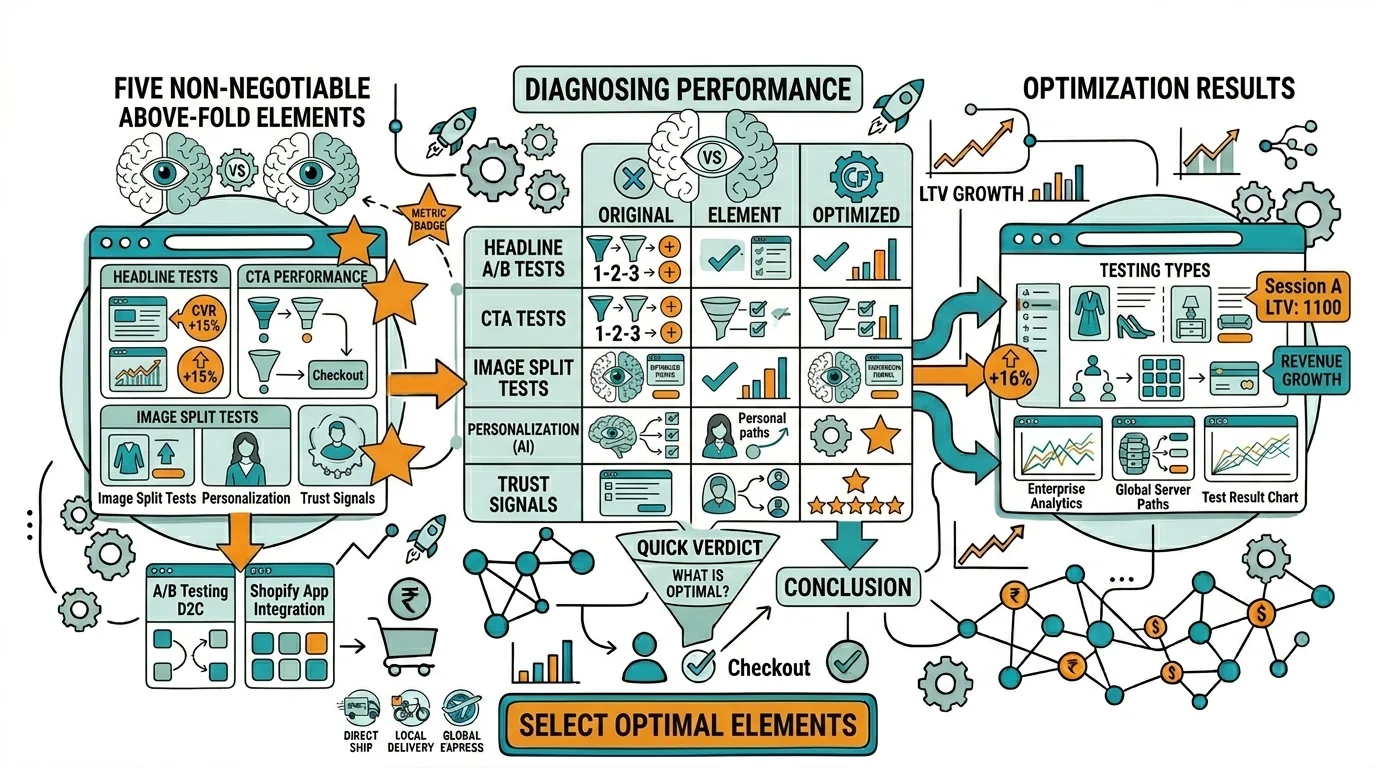
The content visitors see without scrolling — above the fold — determines whether they stay or bounce. On mobile, where 70%+ of Indian ecommerce traffic arrives, the fold cuts off at approximately 600–700 pixels. Everything that matters about your product, your offer, and why a visitor should act must be readable and scannable in that first screen view. Most ecommerce product pages fail this test: pricing is below hero images, reviews are at the bottom of the page, and CTAs are buried under specification text. Above the fold optimization fixes this by ruthlessly prioritizing the elements that drive the decision to scroll further, add to cart, or leave.
On a D2C ecommerce product page, five elements must appear above the fold on every device:
1. Product Name — Clear, benefit-oriented headline (not just the SKU code).
2. Hero Image — The primary visual that communicates what the product is and who it's for. On mobile, this often takes the majority of above-fold real estate.
3. Price — Including any sale price with original price crossed out and savings displayed.
4. Primary CTA — "Add to Cart" or "Buy Now" — must be clearly visible without scrolling.
5. One Trust Signal — Either star rating + review count ("4.7 ★ 3,204 reviews"), a key benefit claim ("Dermatologically tested"), or a trust badge ("COD Available").
If any of these five elements require scrolling to find on mobile, you have an above-fold problem. Fix it before running any other CRO test.
Step 1: Test your pages on a real mobile device Open your product page on an actual iPhone (low-end) or Android phone — not in a browser developer tool. Browser simulation doesn't replicate the exact behavior of real devices and real browser chrome (address bar height, bottom navigation bar).
Step 2: Check the fold line The fold is where the visible screen ends. Can you see all five elements listed above? If not, which ones are missing?
Step 3: Use heatmaps to understand scroll behavior Microsoft Clarity (free) shows you how far visitors scroll on your pages. If 60% of visitors don't scroll past the first screen, your above-fold content must do more work.
Step 4: Check page load speed for above-fold content If your hero image is a 3MB file that takes 4 seconds to load, visitors see a blank space above the fold even if your layout is correct. Check Largest Contentful Paint (LCP) in Google PageSpeed Insights — the above-fold hero image is often the LCP element.
The product page above fold is the most tested type in ecommerce CRO.
High-impact tests:
Indian D2C specific: Test adding "COD Available" or "Free Returns" directly below or beside the CTA button. For first-time buyers on newer brands, this trust signal above the fold reduces purchase anxiety without requiring the visitor to scroll for return policy information.
The homepage hero is the brand's first impression for most paid and direct traffic visitors.
What must be above the fold:
What to test:
Mobile homepage specific: Test showing a product tile or bestseller directly in the hero section vs. a full-bleed lifestyle image. For Indian mobile shoppers who arrive with purchase intent, product visibility above the fold can outperform purely aspirational imagery.
For paid traffic landing pages — Instagram campaigns, Google Ads, influencer traffic — the above-fold requirement is the same as product pages, but the value proposition must precisely match the ad's promise.
Critical: Your ad headline and landing page hero headline must be aligned. A visitor who clicked "Vitamin C Serum for Glowing Skin" and arrives to a generic "Skincare Collection" hero has experienced headline-landing page mismatch — a primary driver of paid traffic bounce.
What to test:
Given 70%+ mobile traffic in Indian ecommerce, design for mobile first. The priority hierarchy for mobile above-fold (top to bottom, limited to ~600px):
This hierarchy leaves essentially no room for taglines, long descriptions, or secondary CTAs above the fold on mobile. That content should start immediately below the fold, accessible with one scroll.
Mistake 1: Giant hero image with no text visible A full-screen lifestyle image looks beautiful in a design mockup. On mobile, it leaves zero room for the product name, price, or CTA above the fold. Always overlay text on hero images or ensure the image takes under 50% of above-fold height.
Mistake 2: Navigation taking too much height A sticky header with logo, navigation, search, cart, and promotional banner can consume 100–150px of above-fold real estate on mobile. Consider a slimmer mobile header. Test showing less navigation vs. a full-featured header.
Mistake 3: Pop-ups blocking above-fold content Welcome popups that appear immediately cover your above-fold content and prevent visitors from evaluating the page. Test trigger timing: a 30-second delay or scroll-based trigger preserves the above-fold experience while still capturing exit intent.
Mistake 4: Slow above-fold image loading If your hero image loads after 3 seconds, the visitor sees an empty box above the fold initially. Compress all above-fold images to under 200KB and use next-generation formats (WebP).
Audit your product pages on a real budget Android device — premium phones and desktop browser simulation don't reveal the real experience for 60% of your Indian traffic.
Move your CTA above the fold first — if your "Add to Cart" button requires scrolling on mobile, this is your #1 fix before any other optimization.
Add a benefit tagline below the product name — "Reduces dark spots in 21 days" communicates what the product does for the visitor before they scroll for details.
Test star rating position — moving the rating from below the product description to next to the product title is consistently one of the highest-lift above-fold changes.
Reduce header height on mobile — eliminate promotional banners or collapse them to a single line to recover valuable above-fold space.
Use Google PageSpeed Insights to check LCP — your Largest Contentful Paint should be under 2.5 seconds. Above-fold hero images are the most common LCP culprit.
Related reading: Heatmaps for CRO | A/B Testing Images | A/B Testing Social Proof | Bounce Rate | CRO Pillar Guide