From the conversion glossary
Concepts referenced in this article, defined.
Concepts referenced in this article, defined.
Run rigorous A/B tests and personalize every visit on Shopify or any storefront — no engineers required.
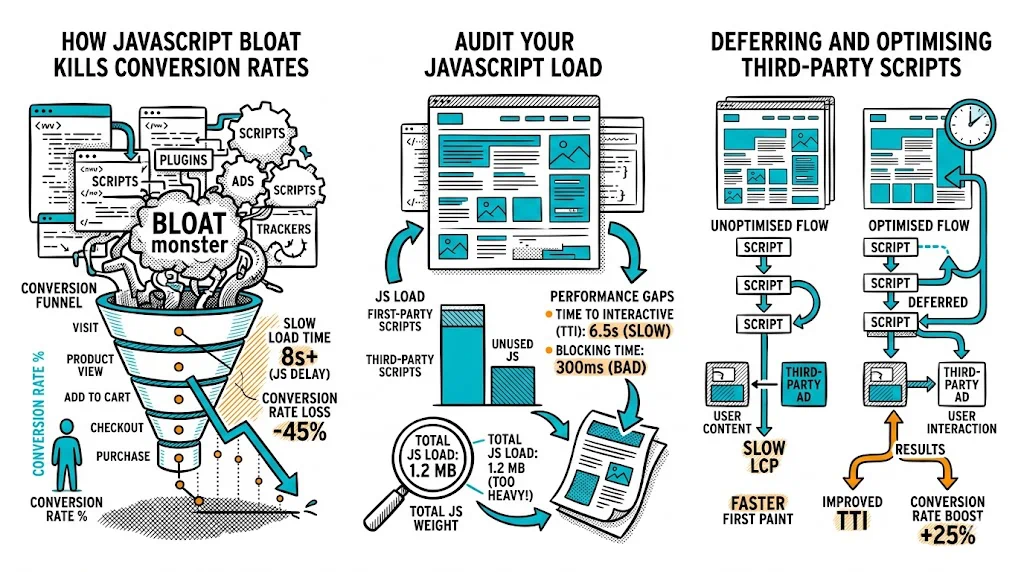
JavaScript is the single biggest performance variable on most ecommerce sites — and the most commonly ignored one. Images get compressed, CDNs get configured, but JS bundles grow unchecked as marketing adds pixel after pixel and developers add library after library. The result: a homepage that takes 6 seconds to become interactive on a ₹10,000 Android, costing you 30% of your mobile conversions before a visitor even sees your product. Fix your JS, and the conversion gains rival any A/B test result.
JavaScript affects performance at multiple points in the page load:
1. Download size: Every kilobyte of JavaScript must be downloaded before it can be executed. On a 4G connection in tier-2 India, a 1MB JavaScript bundle adds 1–3 seconds of download time alone.
2. Parse and compile time: Browsers must parse (read) and compile (prepare to execute) JavaScript before running it. Parsing 1MB of JS on a low-end Android phone takes 3–5 seconds — even after it's downloaded.
3. Execution time: Scripts that run during page load compete with rendering. A heavy analytics script that fires on page load delays the time when the page becomes interactive for the visitor.
4. Render blocking: Scripts in the <head> without async or defer attributes pause all HTML rendering until the script completes. A 100KB render-blocking script can add 1–2 seconds to Largest Contentful Paint (LCP).
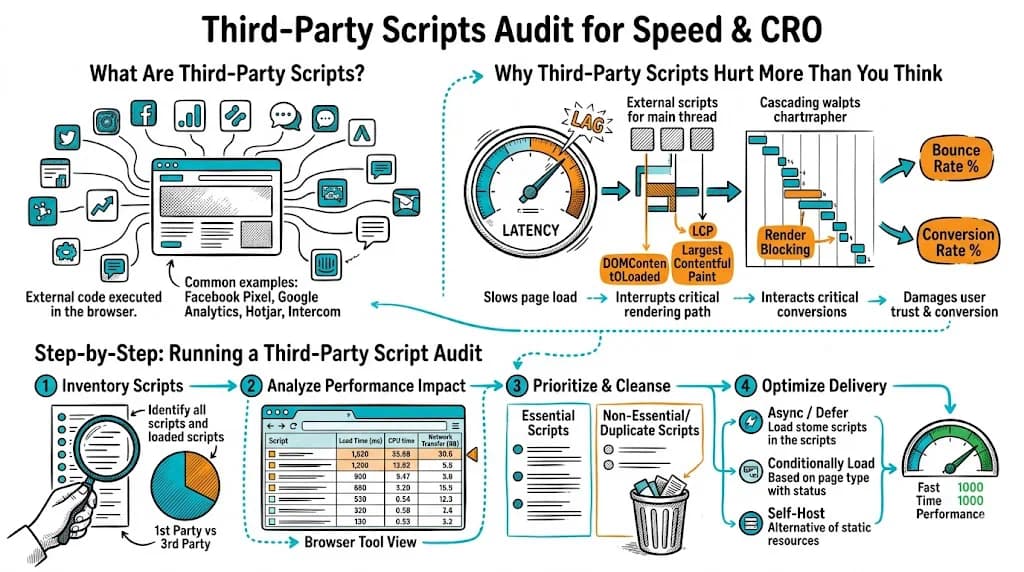
The compounding effect: Most ecommerce sites have not 1 but 15–30 JavaScript files running on each page: the platform's own JS, theme JS, chat widget, analytics, A/B testing tool, heatmap tool, retargeting pixel, loyalty program widget, push notification service, live chat, review widget, product recommendations script. Each adds milliseconds to seconds. Together, they kill performance.
The conversion cost: Google's research quantifies this: every 1-second delay in mobile load time reduces CVR by 7%. A site that takes 6 seconds to interactive instead of 3 seconds can lose 20–25% of mobile conversions to slow load time alone.
Before optimizing, you need to know what you have. Run a JS audit using these free tools:
A healthy ecommerce page should have under 400KB of JavaScript (after gzip compression). Above 800KB is a problem. Above 1.5MB is a serious performance emergency.
Run a test from a Mumbai or Singapore server (approximating Indian connectivity) with a typical mid-range Android device profile. The waterfall chart shows every script request in sequence — you can identify which scripts block rendering and which are render-safe.
The most common culprit. Marketing adds:
Each is "small" individually. Together, they add 500KB–2MB+ of JavaScript and fire dozens of network requests.
Fix: Audit every script in Google Tag Manager. Remove any script for a tool you're not actively using. Consolidate analytics if you're running both GA4 and a separate heatmap tool — most heatmap tools have GA integration.
<head>Scripts placed in the <head> without async or defer attributes block the browser from rendering the page until each script is downloaded and executed.
Fix: Add defer to all non-critical scripts:
<!-- Bad: blocks rendering -->
<script src="/theme.js"></script>

<!-- Good: deferred, does not block -->
<script src="/theme.js" defer></script>
Use async for independent scripts that don't depend on DOM being ready (analytics pixels, most tracking scripts).
Modern JavaScript build tools (Webpack, Rollup, Vite) can bundle your entire codebase into one large file. This is convenient but means visitors download code for features they'll never use on the current page.
Fix:
Some ecommerce scripts make synchronous network calls that block execution. Product recommendation engines that fetch data on page load before rendering anything are a common example.
Fix: All API calls should be asynchronous. If recommendations need to be visible immediately, consider server-side rendering them rather than fetching client-side.
Many Shopify themes and legacy Magento installations still load full jQuery (30–40KB gzipped) when modern JavaScript can accomplish the same tasks natively. If you're loading jQuery 1.x, you're paying a performance tax for 15-year-old compatibility.
Fix: Audit whether your theme actually uses jQuery. Many modern Shopify 2.0 themes do not. If you're on Magento 2, jQuery is embedded in the platform — optimize elsewhere.
<head> without defer or asyncYour A/B testing tool is a JavaScript file. How it loads matters:
Synchronous loading (bad for performance): The testing script blocks page rendering while it fetches the experiment configuration. This eliminates flicker but adds 200–500ms to page load.
Asynchronous loading (better for performance): The page renders immediately; the testing script loads in parallel. A minor flicker may be visible as the variant swaps in, but overall page performance is preserved.
CustomFit.ai's approach: Loads asynchronously with an anti-flicker snippet for above-the-fold elements only. This minimizes both performance impact and visible content flicker.
Best practice: Load your A/B testing script with async and implement an anti-flicker snippet only for the specific elements being tested, not the entire page.
JavaScript affects all three Core Web Vitals:
Core Web Vitals are now Google ranking signals. Poor performance costs you both SEO traffic and conversion rate simultaneously.
defer or async directly harm LCP — the most important Core Web Vitals metric for ecommerce.Related reading: