CustomFit.ai โ€” Website personalization, A/B testing and CRO for Shopify and D2C
Product
Features
โœฑ
Website Personalization
Adapt to each visitor's behavior & intent
โง–
A/B & Multivariate Testing
Rigorous experimentation
โœจ
AI CopilotNEW
Personalize with a prompt
๐Ÿค–
AI WingmanNEW
Auto-optimize toward winners
๐ŸŽฏ
AI Conversion OptimizerNEW
GPT-grade test ideas
โœŽ
No-Code Visual Editor
Drag-and-drop edit any element
โ–ฆ
Product Recommendations
Personalized recs that lift AOV
โš‘
Feature Flags
Ship safely with kill-switches
โ—ง
Chrome Extension
Edit your store in the browser
โง‰
Shopify, WooCommerce & more
All platform integrations
View all features โ†’
Use Cases
$
Price A/B Testing
Test price points to maximize revenue
โ–ฆ
Theme A/B Testing
Compare whole layouts & designs
๐Ÿ—‚
Template A/B Testing
Test whole PDP/PLP templates
๐Ÿท
Discount A/B Testing
Find the offer that converts
๐Ÿšš
Shipping A/B Testing
Thresholds, speed & copy
โœ
Content A/B Testing
Copy, images & reviews
๐Ÿ’ณ
Checkout Gateway A/B
Payments & one-click
โŒ–
Geo-Based Personalization
Per-location content & offers
โšก
Buyer-Intent Nudges
Exit-intent & retargeting
โ†”
Split-URL / Redirection
Full-page redirect tests
View all use cases โ†’
Solutions & Guides
โคข
Conversion Rate Optimization
The complete CRO guide
โง–
A/B Testing Software
Buyer's guide for D2C
๐Ÿ›’
Cart Abandonment Recovery
Win back lost carts
๐Ÿ“ฐ
Landing Page Optimization
Convert more paid traffic
S
Shopify A/B Testing
Test your store, no code
S
Shopify Personalization
Tailor the store per shopper
โ—”
First-Time Visitor Offers
Convert new shoppers with trust & offers
โ˜…
Repeat-Customer Experiences
Reward and re-engage loyal buyers
โ—Ž
Campaign-Matched Pages
Match the landing page to the ad
โŒ–
Location-Based Experiences
Currency, language & regional offers
Explore CRO โ†’
Customer stories
GIVA
+32%
conversion via personalized recs
GIVA
Mamaearth
+18%
revenue lift from PDP A/B tests
ME
The Sleep Company
+24%
AOV from product recommendations
TSC
Read customer stories โ†’
Integrations
SWsfGA+15
โœฆ
Not sure where to start?
Let AI Copilot pick your first tests

โ€œWe wake up to evidence-backed tests ready to deploy โ€” not a backlog of maybe ideas.โ€

AN
Anirudh S.
Growth ยท Chargebee
โ˜…โ˜…โ˜…โ˜…โ˜…4.8on G2 ยท 2,400+ brands
Talk to our team โ†’
Widgets
Integrations
Ecommerce & Checkout
Shopify
Shopline
Shoplazza
GoKwik
ShopFlo
Razorpay Magic Checkout
Breeze
Shiprocket
View all integrations โ†’
Analytics & Behavior
Google Analytics 4
Microsoft Clarity
Hotjar
Mixpanel
Amplitude
Heap
Adobe Analytics
Segment (CDP)
View all integrations โ†’
Engagement, CRM & More
Klaviyo
MoEngage
CleverTap
WebEngage
HubSpot
Salesforce
Slack
Meta Ads
View all integrations โ†’
CustomersPricing
Resources
CRO
โ–ค
Playbooks
Proven strategies to boost conversions
๐ŸŽ™
Interviews
D2C leaders & marketing experts
โ–ถ
Webinars
Live deep dives & product sessions
Learn
โœŽ
Blog
Tips, experiments & best practices
๐Ÿ“•
Free E-Books
Mastering personalization
๐Ÿ“–
Conversion Glossary
Every CRO term, defined
โœฆAI CopilotNEWLog inBook a demo
Start free trial
Select your platform โ€” Install in 2 minsWe'll tailor the setup
โšก Risk-free 14-day trial ยท No credit card ยท Cancel anytime
S
Shopify
Install from Shopify App Store
โ€บ
W
WooCommerce
Install the WooCommerce plugin
โ€บ
B
BigCommerce
Install from BigCommerce App Marketplace
โ€บ
SL
Shopline
Install from Shopline App Store
โ€บ
M
Salesforce / Magento
Install from the marketplace
โ€บ
SZ
Shoplazza
Install from Shoplazza App Store
โ€บ
WP
WordPress / Webflow
Install plugin or paste the script
โ€บ
โ—ง
Others
Custom-built on React, Next.js, etc.
โ€บ
Tip: pick your platform โ€” we handle the restBook a demo โ†’
Product
Website PersonalizationA/B & Multivariate TestingAI CopilotAI WingmanAI Conversion OptimizerNo-Code Visual EditorProduct RecommendationsFeature FlagsView all features โ†’
Use Cases
Price A/B TestingTheme A/B TestingTemplate A/B TestingDiscount A/B TestingShipping A/B TestingContent A/B TestingCheckout Gateway A/BGeo-Based PersonalizationBuyer-Intent NudgesSplit-URL / Redirection
Solutions & Guides
Conversion Rate OptimizationA/B Testing SoftwareCart Abandonment RecoveryLanding Page OptimizationShopify A/B TestingShopify Personalization
Explore
WidgetsIntegrationsCustomersPricing
Resources
BlogPlaybooksWebinarsInterviewsE-BooksConversion Glossary
Platforms
ShopifyShoplineShoplazzaChrome ExtensionAll integrations
Start free trialBook a demo
Homeโ€บBlogโ€บab testingโ€บHow to QA A/B Tests Before Launching

How to QA A/B Tests Before Launching

SKSharan KumarCo-Founder & CTO, CustomFit.aiJanuary 15, 20258 min read
On this page
  1. Why QA Is Non-Negotiable for A/B Tests
  2. The A/B Test QA Checklist
  3. Phase 1: Variant Verification
  4. Phase 2: Tracking Verification
  5. Phase 3: Traffic Split Verification
  6. Phase 4: Technical Checks
  7. Phase 5: Business Logic Checks
  8. Creating a Test-Specific QA Document
  9. Post-Launch Verification (First 24 Hours)
  10. Key Takeaways
0%
How to QA A/B Tests Before Launching

From the conversion glossary

Concepts referenced in this article, defined.
Definition
What Is Variant? Definition, Formula & Guide
Definition
What Is Control? Definition, Formula & Guide
Definition
What Is Conversion Event? Definition, Formula & Guide
Definition
What Is Conversion Tracking? Definition & Guide
Definition
What Is Baseline? Definition, Formula & Guide
โ† Back to Ab Testing guide
Try CustomFit.ai

Run A/B tests and personalize your store without code. 14-day free trial, no credit card.

Start free trial โ†’
Share
XLinkedInEmail

Related articles

ab testing

Statistical Significance in A/B Testing: A Plain-English Guide

Statistical significance in A/B testing means there's less than a 5% chance your result is random. Here's what p-values, confidence levels, and sample size mean for your tests.

Sapna Joharยท 12 min read
ab testing

How A/B Testing Works: Step-by-Step Explained

A/B testing works by splitting traffic between two versions of a page, measuring which performs better on a conversion metric, and declaring a winner at statistical significance.

Sapna Joharยท 10 min read
ab testing

A/B Testing vs Split Testing: What's the Difference?

A/B testing and split testing are the same thing โ€” two names for the same experiment. Here's why the terms are used interchangeably and what actually matters.

Sapna Joharยท 7 min read

Start lifting conversions today.

Run rigorous A/B tests and personalize every visit on Shopify or any storefront โ€” no engineers required.

Start free trialBook a demo

Built for every D2C category

๐Ÿงด
Skincare
๐Ÿ’„
Beauty
๐ŸŒฟ
Wellness
โ˜•
F&B
๐Ÿ‘Ÿ
Apparel
๐Ÿ’
Jewelry
๐Ÿ›‹๏ธ
Home
๐Ÿผ
Baby
Live ยท Right now
Mamaearth โ€” free-shipping band +12.4% AOVGIVA โ€” festive collection page +34% revenueBellavita โ€” PDP CTA test +27.4% CVRKapiva โ€” Quiz-driven recs +9.48% CTRThe Sleep Co โ€” landing personalized 2ร— capturesPlum โ€” Returning shopper swap +18.2% CVRMamaearth โ€” free-shipping band +12.4% AOVGIVA โ€” festive collection page +34% revenueBellavita โ€” PDP CTA test +27.4% CVRKapiva โ€” Quiz-driven recs +9.48% CTRThe Sleep Co โ€” landing personalized 2ร— capturesPlum โ€” Returning shopper swap +18.2% CVR
Get in touch

Tell us about your store.

We reply within an hour during business hours. No sales pitch, no spam โ€” just answers from someone who's seen 2,400+ D2C stores.

โœ“ Reply within 1 hourโœ“ No spam, everโœ“ Free demo & setup help
โœ“ Thanks! We'll be in touch shortly.
CustomFit.ai

The all-in-one website personalization, A/B testing & CRO platform for high-growth D2C brands. Made by marketers, fueled by coffee.

in๐•โ—Žโ–ถf
Product
  • Features
  • A/B Testing
  • Personalization
  • AI Copilot
  • AI Wingman
  • AI Conversion Optimizer
  • Feature Flags
  • Widgets
  • Integrations
  • ROI Calculator
Platforms
  • Shopify
  • Shopline
  • Shoplazza
  • Salesforce
  • Chrome Extension
  • All Integrations
Resources
  • Blog
  • Playbooks
  • Webinars
  • GrowthFit Interviews
  • Free E-Books
  • Conversion Glossary
  • Case Studies
Compare
  • vs VWO
  • vs Optimizely
  • vs Google Optimize
  • vs Mutiny
  • vs Intelligems
  • vs Shoplift
  • vs AB Tasty
  • vs Convert
  • vs Kameleoon
Company
  • About Us
  • Partners
  • CustomFit Awards
  • Recognition
  • Contact
  • Privacy Policy
  • Terms & Conditions
ยฉ 2026 CustomFit.ai ยท Valley Monks Pvt Ltd ยท Made by marketers, fueled by coffee, and obsessed with conversions.
SOC 2 Type II ยท GDPR ยท CCPA ยท ISO 27001

QA (quality assurance) for A/B tests means systematically verifying your test setup before exposing real visitors to it. A broken A/B test โ€” one where variants don't render, tracking doesn't fire, or traffic splits malfunction โ€” wastes visitor traffic, corrupts your data, and can actively damage user experience. A 45-minute QA process before launch prevents these failures. This checklist covers everything to verify before going live.

Why QA Is Non-Negotiable for A/B Tests

Unlike a broken page (which is immediately visible), a broken A/B test can run for days or weeks before anyone notices. Common failure modes that QA catches:

Variant renders incorrectly on mobile. Your desktop QA looked fine, but on an Android phone the variant's headline wraps to three lines and covers the product image. You run the test for two weeks, collecting data on a broken experience.

Conversion event fires on the wrong trigger. Your test is supposed to measure purchase completions, but you accidentally configured the conversion goal to fire on "add to cart." Your results show the variant converts 40% better โ€” but that's add-to-cart rate, not purchase rate. You roll out the change based on false data.

Both control and variant show to the same visitor. A JavaScript conflict between your testing tool and another script causes the variant to flash and revert to control on every page load. Visitors see both versions. Your results are meaningless.

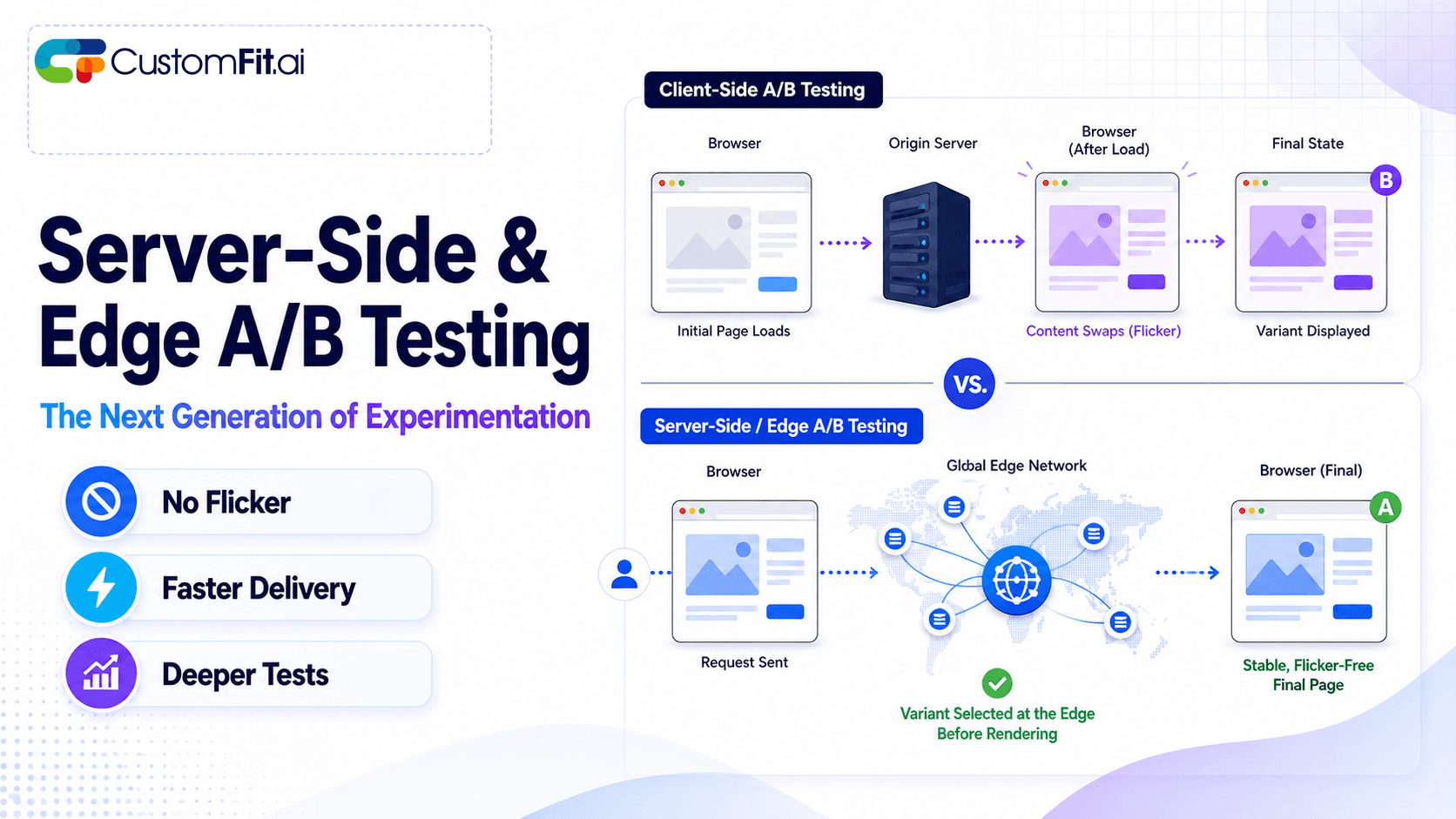
Anti-flicker snippet placed incorrectly. Every visitor sees a 300ms flash of the control version before the variant loads โ€” contaminating the variant experience, especially for above-the-fold changes.

Traffic split is not 50/50. A configuration error routes 90% of visitors to the control and 10% to the variant. You'll need 5x more traffic to reach significance, and you won't realize the problem until you look at your analytics weeks later.

Each of these failures is preventable with a structured pre-launch QA process.

The A/B Test QA Checklist

Phase 1: Variant Verification

1.1 Render check โ€” desktop (Chrome) Force yourself into the variant using your testing tool's preview or QA URL. Verify:

  • All changed elements appear as designed
  • No layout breaks, overlapping elements, or missing content
  • Fonts, colors, and spacing match the design spec
  • Interactive elements (buttons, forms, dropdowns) work correctly

1.2 Render check โ€” mobile (iOS and Android) This is the most commonly skipped and most important step. Use real devices if possible; use Chrome DevTools device simulator as a minimum:

  • Check your variant on at least two screen sizes (small Android, large iPhone)
  • Verify no content is cut off, overlapping, or unresponsive
  • Test all tap targets โ€” buttons, links, form fields
  • Check text legibility at actual mobile font sizes

1.3 Render check โ€” across browsers At minimum: Chrome (latest), Safari (for iPhone users), Firefox, Samsung Internet (widely used on budget Android phones in India).

1.4 Cross-page consistency check (for multi-page tests) If your test changes elements on multiple pages, verify every page in the test scope shows the correct variant โ€” not just the first page.

Phase 2: Tracking Verification

2.1 Conversion goal verification Navigate through the exact path required to trigger your conversion goal:

  • Add to cart โ†’ proceed to checkout โ†’ complete purchase (if goal = purchase)
  • Verify the conversion event fires exactly once per qualifying action
  • Check your testing tool's event dashboard to confirm the event is recorded

2.2 No duplicate conversions Refresh your order confirmation page. Does the conversion event fire again? Duplicate conversions inflate your results โ€” a single order counted twice shows twice the conversion rate for a variant. Implement deduplication logic if your tool doesn't handle this automatically.

2.3 Impression tracking Verify that variant impressions are being recorded. Your testing tool should show a count of visitors in each variant within minutes of starting the QA session.

2.4 Analytics integration If you've connected your testing tool to Google Analytics or another analytics platform, verify that variant data is flowing through correctly. Check for variant dimension data in your analytics platform's real-time view.

Phase 3: Traffic Split Verification

3.1 Split verification โ€” manual Open your site in 10 incognito windows in rapid succession. Record which variant each window shows. At 50/50 split, you'd expect roughly 5 control and 5 variant โ€” though random variation means this might be 4/6 or 7/3 in a small sample. If all 10 windows show the same variant, your split is broken.

3.2 Split verification โ€” testing tool dashboard Check your testing tool's real-time visitor dashboard. After 50+ visitors, verify the traffic split is approaching your configured ratio.

3.3 Mutual exclusivity Verify that a single visitor always sees the same variant โ€” they don't see control on one visit and variant on the next. Open the site in the same browser (not incognito) multiple times. You should see the same variant each time.

Phase 4: Technical Checks

4.1 Anti-flicker verification On a throttled connection (Chrome DevTools โ†’ Network โ†’ "Slow 3G"):

  • Load a page with the active test
  • Watch carefully for any visible flash of control content before the variant renders
  • If flicker is visible, your anti-flicker snippet needs adjustment

4.2 JavaScript conflict check Open Chrome DevTools โ†’ Console. Load the variant page. Check for any JavaScript errors. Errors can indicate conflicts between your testing tool and other scripts (chat widgets, analytics tags, review app scripts).

4.3 Page speed impact Run the test URL through Google PageSpeed Insights or GTmetrix with the test active. Compare to baseline (without the test running). If your testing script adds more than 200ms to page load time, investigate the script loading sequence.

4.4 Form functionality If your test variant modifies any form (search, newsletter sign-up, customer login, checkout address fields), test all form submissions. Testing tool modifications can sometimes break form event listeners.

Phase 5: Business Logic Checks

5.1 Discount and promotion compatibility If your store has active promotions, coupon codes, or cart-level discounts, verify they work correctly with both the control and variant active. Testing tool modifications occasionally interfere with JavaScript-based promotion applications.

5.2 Cart and checkout flow Walk through the complete purchase flow with the test active:

  • Add product โ†’ view cart โ†’ proceed to checkout โ†’ enter address โ†’ select payment โ†’ place order (on a test order if possible, or verify all steps render correctly before order placement)

5.3 Responsive behavior with dynamic content If your store shows dynamic content (personalized recommendations, recently viewed, low stock warnings), verify this content loads correctly in both control and variant conditions.

Creating a Test-Specific QA Document

Before launching any test, document your QA findings. A simple template:

Test name: [Name]
Test ID: [ID from testing tool]
Launch date: [Date]
QA completed by: [Name]
QA date: [Date]

Desktop render: PASS / FAIL (notes)
Mobile render (iPhone): PASS / FAIL (notes)
Mobile render (Android): PASS / FAIL (notes)
Conversion tracking: PASS / FAIL (notes)
Traffic split: PASS / FAIL (notes)
Anti-flicker: PASS / FAIL (notes)
JavaScript errors: NONE / [list errors]
Page speed impact: [baseline vs test, in ms]
Checkout flow: PASS / FAIL (notes)

This 5-minute document creates accountability, a record of your QA process, and a reference when troubleshooting issues after launch.

Post-Launch Verification (First 24 Hours)

QA doesn't end at launch. In the first 24 hours after launching a test:

Check visitor counts are accumulating in both variants. If one variant shows zero visitors after 2 hours, something is broken.

Verify no customer complaints or support tickets related to the test pages. Monitor your WhatsApp support or email inbox for unusual volume.

Check conversion tracking is functioning. Verify that orders are being attributed to variants in your testing tool's dashboard.

Look for JavaScript console errors that might indicate conflicts that only emerge in production (with real CDN environments, different cache states, etc.).

Key Takeaways

  • A broken A/B test is worse than no test โ€” it wastes traffic, corrupts data, and can damage user experience.
  • Always QA on real mobile devices, not just desktop Chrome. Mobile accounts for 65โ€“80% of Indian D2C traffic.
  • The most critical QA checks: variant renders correctly on mobile, conversion tracking fires correctly, traffic split is working, and anti-flicker is functioning.
  • Document every QA session โ€” who checked what, pass/fail status, and any noted issues.
  • Post-launch verification in the first 24 hours catches production-environment issues that pre-launch QA missed.
  • CustomFit.ai's Shopify integration includes built-in preview and QA modes that simplify variant verification before launch.