CustomFit.ai โ€” Website personalization, A/B testing and CRO for Shopify and D2C
Product
Features
โœฑ
Website Personalization
Adapt to each visitor's behavior & intent
โง–
A/B & Multivariate Testing
Rigorous experimentation
โœจ
AI CopilotNEW
Personalize with a prompt
๐Ÿค–
AI WingmanNEW
Auto-optimize toward winners
๐ŸŽฏ
AI Conversion OptimizerNEW
GPT-grade test ideas
โœŽ
No-Code Visual Editor
Drag-and-drop edit any element
โ–ฆ
Product Recommendations
Personalized recs that lift AOV
โš‘
Feature Flags
Ship safely with kill-switches
โ—ง
Chrome Extension
Edit your store in the browser
โง‰
Shopify, WooCommerce & more
All platform integrations
View all features โ†’
Use Cases
$
Price A/B Testing
Test price points to maximize revenue
โ–ฆ
Theme A/B Testing
Compare whole layouts & designs
๐Ÿ—‚
Template A/B Testing
Test whole PDP/PLP templates
๐Ÿท
Discount A/B Testing
Find the offer that converts
๐Ÿšš
Shipping A/B Testing
Thresholds, speed & copy
โœ
Content A/B Testing
Copy, images & reviews
๐Ÿ’ณ
Checkout Gateway A/B
Payments & one-click
โŒ–
Geo-Based Personalization
Per-location content & offers
โšก
Buyer-Intent Nudges
Exit-intent & retargeting
โ†”
Split-URL / Redirection
Full-page redirect tests
View all use cases โ†’
Solutions & Guides
โคข
Conversion Rate Optimization
The complete CRO guide
โง–
A/B Testing Software
Buyer's guide for D2C
๐Ÿ›’
Cart Abandonment Recovery
Win back lost carts
๐Ÿ“ฐ
Landing Page Optimization
Convert more paid traffic
S
Shopify A/B Testing
Test your store, no code
S
Shopify Personalization
Tailor the store per shopper
โ—”
First-Time Visitor Offers
Convert new shoppers with trust & offers
โ˜…
Repeat-Customer Experiences
Reward and re-engage loyal buyers
โ—Ž
Campaign-Matched Pages
Match the landing page to the ad
โŒ–
Location-Based Experiences
Currency, language & regional offers
Explore CRO โ†’
Customer stories
GIVA
+32%
conversion via personalized recs
GIVA
Mamaearth
+18%
revenue lift from PDP A/B tests
ME
The Sleep Company
+24%
AOV from product recommendations
TSC
Read customer stories โ†’
Integrations
SWsfGA+15
โœฆ
Not sure where to start?
Let AI Copilot pick your first tests

โ€œWe wake up to evidence-backed tests ready to deploy โ€” not a backlog of maybe ideas.โ€

AN
Anirudh S.
Growth ยท Chargebee
โ˜…โ˜…โ˜…โ˜…โ˜…4.8on G2 ยท 2,400+ brands
Talk to our team โ†’
Widgets
Integrations
Ecommerce & Checkout
Shopify
Shopline
Shoplazza
GoKwik
ShopFlo
Razorpay Magic Checkout
Breeze
Shiprocket
View all integrations โ†’
Analytics & Behavior
Google Analytics 4
Microsoft Clarity
Hotjar
Mixpanel
Amplitude
Heap
Adobe Analytics
Segment (CDP)
View all integrations โ†’
Engagement, CRM & More
Klaviyo
MoEngage
CleverTap
WebEngage
HubSpot
Salesforce
Slack
Meta Ads
View all integrations โ†’
CustomersPricing
Resources
CRO
โ–ค
Playbooks
Proven strategies to boost conversions
๐ŸŽ™
Interviews
D2C leaders & marketing experts
โ–ถ
Webinars
Live deep dives & product sessions
Learn
โœŽ
Blog
Tips, experiments & best practices
๐Ÿ“•
Free E-Books
Mastering personalization
๐Ÿ“–
Conversion Glossary
Every CRO term, defined
โœฆAI CopilotNEWLog inBook a demo
Start free trial
Select your platform โ€” Install in 2 minsWe'll tailor the setup
โšก Risk-free 14-day trial ยท No credit card ยท Cancel anytime
S
Shopify
Install from Shopify App Store
โ€บ
W
WooCommerce
Install the WooCommerce plugin
โ€บ
B
BigCommerce
Install from BigCommerce App Marketplace
โ€บ
SL
Shopline
Install from Shopline App Store
โ€บ
M
Salesforce / Magento
Install from the marketplace
โ€บ
SZ
Shoplazza
Install from Shoplazza App Store
โ€บ
WP
WordPress / Webflow
Install plugin or paste the script
โ€บ
โ—ง
Others
Custom-built on React, Next.js, etc.
โ€บ
Tip: pick your platform โ€” we handle the restBook a demo โ†’
Product
Website PersonalizationA/B & Multivariate TestingAI CopilotAI WingmanAI Conversion OptimizerNo-Code Visual EditorProduct RecommendationsFeature FlagsView all features โ†’
Use Cases
Price A/B TestingTheme A/B TestingTemplate A/B TestingDiscount A/B TestingShipping A/B TestingContent A/B TestingCheckout Gateway A/BGeo-Based PersonalizationBuyer-Intent NudgesSplit-URL / Redirection
Solutions & Guides
Conversion Rate OptimizationA/B Testing SoftwareCart Abandonment RecoveryLanding Page OptimizationShopify A/B TestingShopify Personalization
Explore
WidgetsIntegrationsCustomersPricing
Resources
BlogPlaybooksWebinarsInterviewsE-BooksConversion Glossary
Platforms
ShopifyShoplineShoplazzaChrome ExtensionAll integrations
Start free trialBook a demo
Homeโ€บBlogโ€บab testingโ€บWhat Is Sample Ratio Mismatch (SRM) in A/B Testing?

What Is Sample Ratio Mismatch (SRM) in A/B Testing?

SKSharan KumarCo-Founder & CTO, CustomFit.aiJanuary 15, 20258 min read
On this page
  1. What SRM Looks Like in Practice
  2. How to Detect SRM
  3. Common Causes of SRM
  4. The Business Impact of Ignoring SRM
  5. How to Fix SRM
  6. How CustomFit.ai Prevents SRM
  7. Tips / Best Practices
  8. Key Takeaways
0%
What Is Sample Ratio Mismatch (SRM) in A/B Testing?

From the conversion glossary

Concepts referenced in this article, defined.
Definition
What Is Variant? Definition, Formula & Guide
Definition
What Is Control? Definition, Formula & Guide
Definition
What Is Experiment? Definition, Formula & Guide
Definition
What Is Significance? Definition, Formula & Guide
Definition
What Is Baseline? Definition, Formula & Guide
โ† Back to Ab Testing guide
Try CustomFit.ai

Run A/B tests and personalize your store without code. 14-day free trial, no credit card.

Start free trial โ†’
Share
XLinkedInEmail

Related articles

ab testing

Statistical Significance in A/B Testing: A Plain-English Guide

Statistical significance in A/B testing means there's less than a 5% chance your result is random. Here's what p-values, confidence levels, and sample size mean for your tests.

Sapna Joharยท 12 min read
ab testing

How A/B Testing Works: Step-by-Step Explained

A/B testing works by splitting traffic between two versions of a page, measuring which performs better on a conversion metric, and declaring a winner at statistical significance.

Sapna Joharยท 10 min read
ab testing

A/B Testing vs Split Testing: What's the Difference?

A/B testing and split testing are the same thing โ€” two names for the same experiment. Here's why the terms are used interchangeably and what actually matters.

Sapna Joharยท 7 min read

Start lifting conversions today.

Run rigorous A/B tests and personalize every visit on Shopify or any storefront โ€” no engineers required.

Start free trialBook a demo

Built for every D2C category

๐Ÿงด
Skincare
๐Ÿ’„
Beauty
๐ŸŒฟ
Wellness
โ˜•
F&B
๐Ÿ‘Ÿ
Apparel
๐Ÿ’
Jewelry
๐Ÿ›‹๏ธ
Home
๐Ÿผ
Baby
Live ยท Right now
Mamaearth โ€” free-shipping band +12.4% AOVGIVA โ€” festive collection page +34% revenueBellavita โ€” PDP CTA test +27.4% CVRKapiva โ€” Quiz-driven recs +9.48% CTRThe Sleep Co โ€” landing personalized 2ร— capturesPlum โ€” Returning shopper swap +18.2% CVRMamaearth โ€” free-shipping band +12.4% AOVGIVA โ€” festive collection page +34% revenueBellavita โ€” PDP CTA test +27.4% CVRKapiva โ€” Quiz-driven recs +9.48% CTRThe Sleep Co โ€” landing personalized 2ร— capturesPlum โ€” Returning shopper swap +18.2% CVR
Get in touch

Tell us about your store.

We reply within an hour during business hours. No sales pitch, no spam โ€” just answers from someone who's seen 2,400+ D2C stores.

โœ“ Reply within 1 hourโœ“ No spam, everโœ“ Free demo & setup help
โœ“ Thanks! We'll be in touch shortly.
CustomFit.ai

The all-in-one website personalization, A/B testing & CRO platform for high-growth D2C brands. Made by marketers, fueled by coffee.

in๐•โ—Žโ–ถf
Product
  • Features
  • A/B Testing
  • Personalization
  • AI Copilot
  • AI Wingman
  • AI Conversion Optimizer
  • Feature Flags
  • Widgets
  • Integrations
  • ROI Calculator
Platforms
  • Shopify
  • Shopline
  • Shoplazza
  • Salesforce
  • Chrome Extension
  • All Integrations
Resources
  • Blog
  • Playbooks
  • Webinars
  • GrowthFit Interviews
  • Free E-Books
  • Conversion Glossary
  • Case Studies
Compare
  • vs VWO
  • vs Optimizely
  • vs Google Optimize
  • vs Mutiny
  • vs Intelligems
  • vs Shoplift
  • vs AB Tasty
  • vs Convert
  • vs Kameleoon
Company
  • About Us
  • Partners
  • CustomFit Awards
  • Recognition
  • Contact
  • Privacy Policy
  • Terms & Conditions
ยฉ 2026 CustomFit.ai ยท Valley Monks Pvt Ltd ยท Made by marketers, fueled by coffee, and obsessed with conversions.
SOC 2 Type II ยท GDPR ยท CCPA ยท ISO 27001

Sample ratio mismatch (SRM) occurs when the actual proportion of users assigned to each variant in your A/B test differs meaningfully from what you intended. If you set up a 50/50 split but end up with 55% in the control and 45% in the variant, you have an SRM โ€” and your test results are invalid. SRM is one of the most under-diagnosed problems in A/B testing, and it causes confident-looking results to be completely untrustworthy.

This problem is more common than most teams realize. A 2019 study by Microsoft found SRM in a significant percentage of their internal experiments. For Indian D2C brands running tests on Shopify, the risk is real โ€” especially when using third-party analytics, redirect-based testing, or running during high-bot-traffic periods (like festive sale events).

What SRM Looks Like in Practice

Imagine you're testing two versions of your product page on Nykaa or a similar platform. You set up a 50/50 split. After two weeks, you check results:

  • Control (Version A): 8,200 visitors, 4.1% CVR
  • Variant (Version B): 6,800 visitors, 5.2% CVR

Variant B looks like it's winning โ€” a 27% relative lift! But wait: you intended 50/50, but got 55%/45%. That's a 15,000 visitor discrepancy. Before celebrating, you have an SRM. The variant might be getting a different type of visitor, not just more conversions.

The danger: If Variant B received fewer visitors because it was shown to a subset with higher purchase intent (e.g., visitors coming from a specific UTM source, or returning customers), then the CVR difference isn't caused by the variant โ€” it's caused by who saw it.

How to Detect SRM

Method 1: Visual inspection Compare your expected vs. actual visitor counts. If you set a 50/50 split and one variant has more than 52-53% of visitors, investigate. This rough check catches major SRMs.

Method 2: Chi-square test The formal statistical test for SRM. Calculate:

  • Expected count per variant: (Total visitors) / (Number of variants)
  • Observed count: Actual visitors per variant
  • Chi-square statistic from these values

Most A/B testing platforms (including CustomFit.ai) run this check automatically and flag SRM before you even look at conversion data.

Interpretation: A p-value below 0.01 from the chi-square test indicates statistically significant SRM. At this threshold, the probability of seeing this visitor imbalance by chance is less than 1%.

Method 3: Check traffic by segment Break down visitors by device, browser, traffic source, and geography. If one variant has a very different composition (e.g., 60% mobile in control vs. 40% mobile in variant), you have a segment-level SRM even if total counts look balanced.

Common Causes of SRM

Understanding why SRM happens helps you prevent it:

1. Bot and crawler traffic Bots don't convert, but they inflate visitor counts unevenly. If your testing platform serves variant pages differently to bots vs. humans, you'll get SRM. This is especially prevalent during Diwali or end-of-season sale periods when bot traffic spikes alongside real traffic.

2. Redirect-based testing implementation When you test using URL redirects (e.g., Control stays on /product/X, Variant redirects to /product/X?v=b), browsers handle redirects differently. Some users get bounced before the redirect completes, others cache the redirect. This creates uneven variant counts.

3. Randomization bugs The most painful cause. If your randomization code has a bug โ€” for example, if it uses the wrong hash function or re-randomizes users on each visit โ€” users can get assigned to different variants across sessions, causing double-counting or systematic skew.

4. Caching CDN or browser caching is a major SRM cause for ecommerce sites. If your CDN caches the control version and serves it to some users regardless of their variant assignment, those users will be counted in analytics for the variant they were assigned but see the control experience. This is particularly tricky for Indian brands using Cloudflare or AWS CloudFront.

5. Third-party script interference Tag managers, analytics scripts, and ad pixels can load inconsistently. If a script that fires the variant tracking event fails to load for some users, those users won't be counted โ€” even though they saw the variant.

6. Unequal traffic routing If you're using a multi-CDN setup or have regional traffic routing, different variants might be preferentially served in different geographies. For an Indian D2C brand, this could mean Variant A is shown primarily to Mumbai visitors and Variant B to Delhi visitors โ€” with very different purchase behaviors.

7. Experiment start/stop timing If you start a test at 2 PM and one variant's assignment starts at 2 PM while the other's starts at 2:15 PM, you've already created an SRM for the first 15 minutes of traffic.

The Business Impact of Ignoring SRM

When you act on SRM-contaminated results, you're making product decisions based on flawed data. Real consequences:

False wins: A variant appears to convert better only because it received higher-intent visitors. You ship the change, and conversion rate returns to baseline โ€” or drops below it.

False losses: A genuinely better variant loses the test because it received lower-intent visitors. You discard an idea that would have worked.

Misattribution: You attribute a CVR change to your test variable when the real cause was a visitor mix change โ€” perhaps a traffic campaign that started mid-test.

For a brand like Kapiva doing โ‚น1โ€“2 crore in monthly revenue, a false win that "proves" a variant is 10% better when it isn't could lead to a significant and sustained revenue loss when rolled out.

How to Fix SRM

Step 1: Stop interpreting the current test results. Do not try to correct for SRM mathematically โ€” the data is compromised.

Step 2: Diagnose the root cause. Check each of the causes above systematically. Start with your implementation (caching, redirects, randomization code) before blaming traffic sources.

Step 3: Fix the issue. For caching: configure your CDN to vary responses based on your variant cookie. For bots: add bot filtering before variant assignment. For bugs: fix your randomization code and have a second engineer review it.

Step 4: Restart the test from zero. Don't resume โ€” historical data from the SRM period cannot be used. Clear all variant assignments and start fresh.

Step 5: Build SRM detection into your pre-launch checklist. Monitor SRM daily for the first 48 hours of any new test. Catching it early limits wasted time.

How CustomFit.ai Prevents SRM

CustomFit.ai is a Shopify-native testing platform, which means:

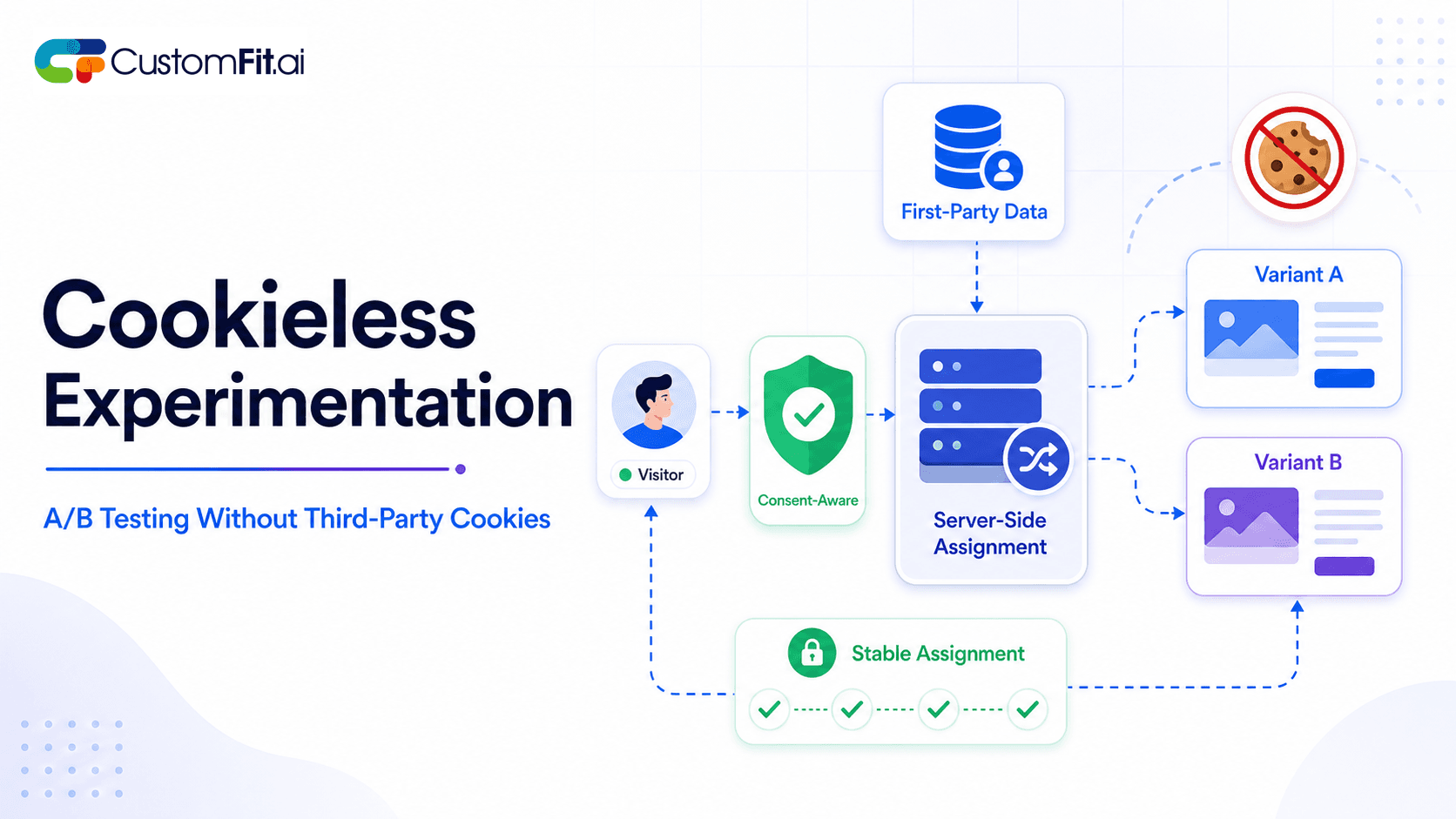
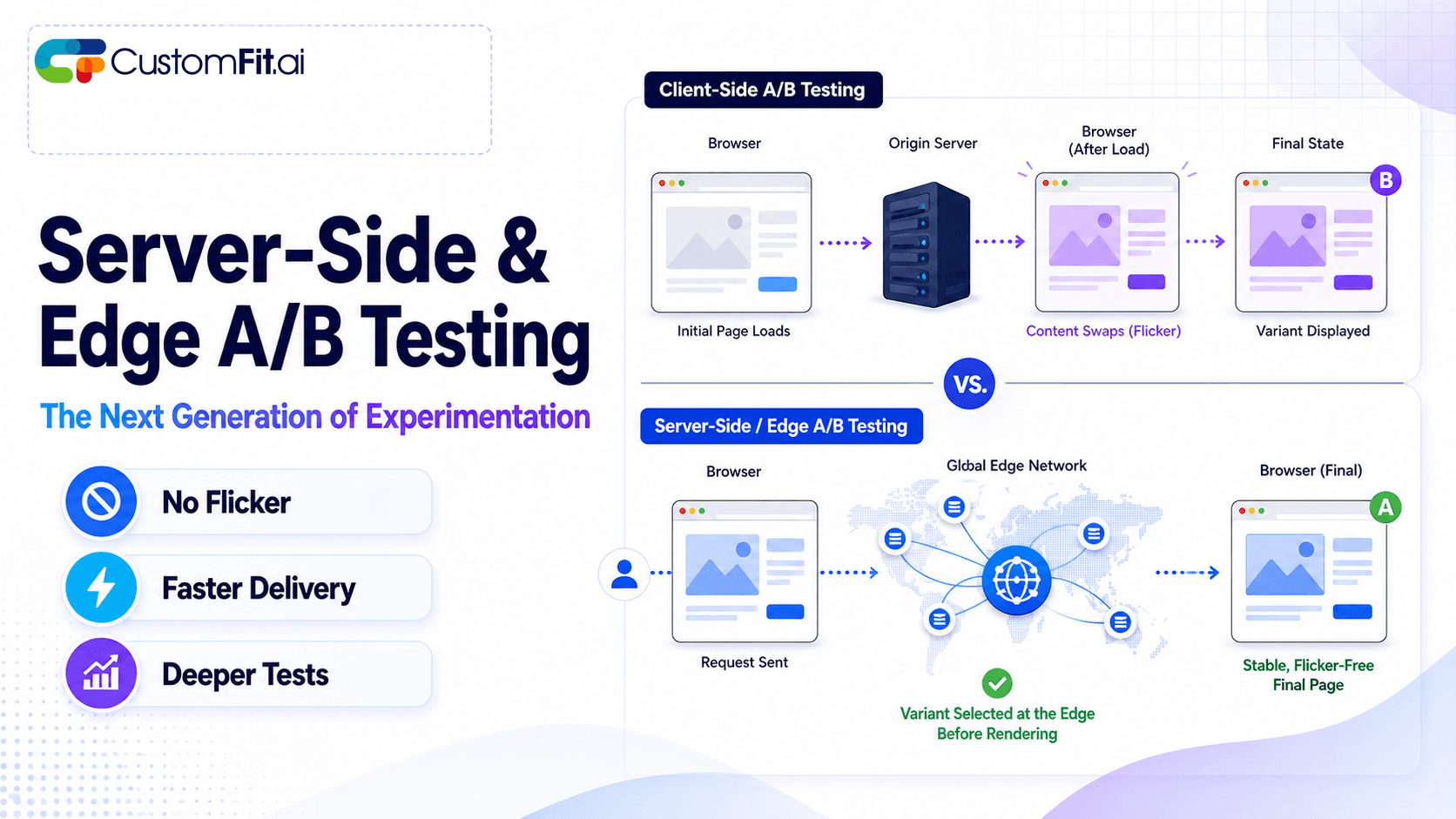
  • Variant assignment happens server-side before the page renders โ€” eliminating redirect-based SRM
  • Bot traffic is filtered based on Shopify's own bot detection before variant assignment
  • SRM is checked automatically after 100 visitors per variant, and you're alerted before results become meaningful
  • Caching is handled at the Shopify level with proper cache-key variation per experiment

This is one reason the platform can report reliable results like Bellavita's 11% CVR improvement โ€” because the tests that produced those numbers were SRM-free.

Tips / Best Practices

  1. Check SRM within 24โ€“48 hours of launch โ€” the earlier you catch it, the less time you waste on a contaminated test.

  2. Use server-side randomization whenever possible โ€” client-side JavaScript testing is more prone to SRM from ad blockers, slow connections, and script failures.

  3. Filter bots before variant assignment โ€” never include bot traffic in your visitor counts or variant assignment logic.

  4. Test your randomization logic with a simulated 50/50 coin flip โ€” before running real experiments, verify your assignment code produces roughly equal splits across 10,000 simulated users.

  5. Audit CDN caching settings before launching a test โ€” confirm that your CDN isn't caching the control page and serving it to variant users.

  6. Monitor SRM separately for each browser and device โ€” an overall balanced split can mask device-level SRM.

  7. Document your test implementation for peer review โ€” have a second team member check the implementation before launch. SRM bugs are often obvious in retrospect.

Key Takeaways

  • SRM occurs when actual visitor ratios per variant differ from your intended split โ€” it invalidates test results completely
  • Detect SRM with a chi-square test on expected vs. observed visitor counts, or use a platform that does this automatically
  • Common causes include bots, redirect-based testing, caching, randomization bugs, and third-party script failures
  • Never try to interpret results from an SRM-affected test โ€” stop, diagnose, fix, and restart
  • Indian D2C brands are particularly exposed to SRM during high-traffic festive sale events when bot traffic spikes
  • Server-side testing tools like CustomFit.ai prevent most SRM causes by design

Related reading: Statistical Significance | Sample Size in A/B Testing | How Long to Run an A/B Test | A/B Testing Metrics | A/B Testing Pillar Guide