From the conversion glossary
Concepts referenced in this article, defined.
Concepts referenced in this article, defined.
 cro
croPre-order waitlist CRO strategies that convert hype into real revenue - how to design waitlist and pre-order pages that don't lose momentum before launch.
 cro
croFirst purchase experience optimization - practical strategies to turn first-time visitors into buyers, from welcome offers to a smarter new customer funnel.
 cro
croRetail media CRO explained - how to monetize on-site ads and sponsored placements without tanking your conversion rate. A practical balance guide.
Run rigorous A/B tests and personalize every visit on Shopify or any storefront — no engineers required.
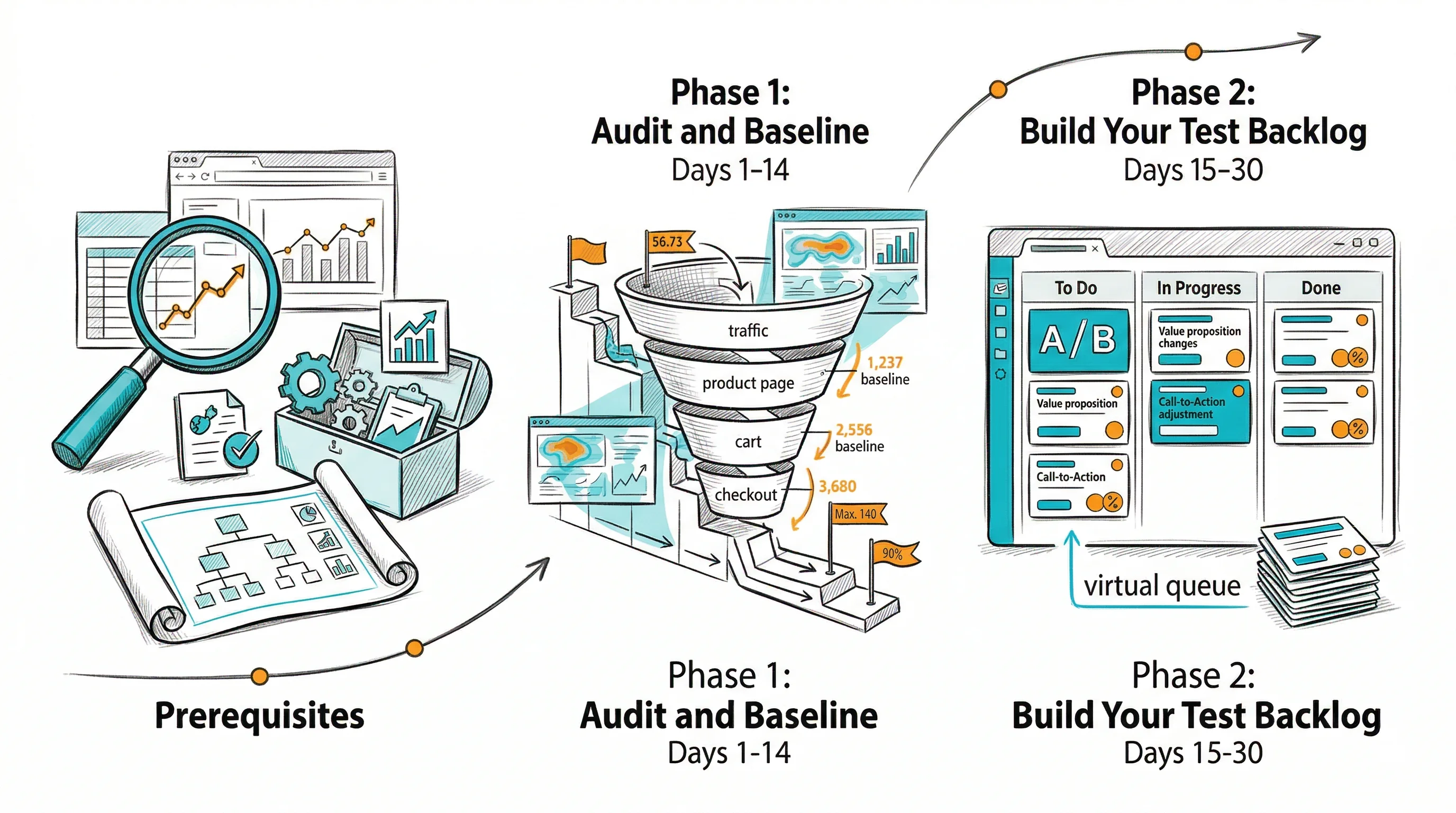
A 90-day CRO roadmap converts CRO from a vague goal ("improve conversions") into a structured program with specific tests, owners, timelines, and success metrics. Without a roadmap, CRO efforts become reactive — testing what's easy or what someone in a meeting suggested, rather than what will move revenue. The most successful Indian D2C brands run CRO as a systematic program: prioritized, measured, and continuously improved. This 90-day plan gives you the structure to do the same, whether you're starting from zero or resetting an underperforming program.
Brands like Bellavita achieved an 11% CVR improvement not by running one big test — but by running a systematic test program across multiple pages over time. This is the type of program this roadmap builds.
1. Analytics tracking must be accurate You cannot run a CRO program without reliable baseline data. Before starting the 90-day plan:
2. A/B testing tool must be installed and tested Install CustomFit.ai (or your chosen tool) and run a simple "null test" — a test with no actual variation between Control and Variant. This confirms traffic is splitting correctly and that conversions are tracking.
3. Define your primary conversion goal For most D2C Shopify brands, this is purchases (order completion rate). Set a clear primary metric before starting. If your team disagrees on what "conversion" means, resolve this before building the roadmap.
Week 1: Data Audit and Funnel Mapping
Your first task is to understand where visitors drop off in your funnel and what your current baseline metrics are.
Funnel mapping template:
| Stage | URL/Page | Monthly Visitors | Conversion to Next Stage | Drop-off Rate |
|---|---|---|---|---|
| Homepage | / | 15,000 | 35% to Category | 65% |
| Category Pages | /collections/* | 5,250 | 40% to Product | 60% |
| Product Pages | /products/* | 2,100 | 18% Add to Cart | 82% |
| Cart | /cart | 378 | 65% to Checkout | 35% |
| Checkout | /checkout | 246 | 72% Order Completion | 28% |
| Orders | 177 |
Calculate your stage-by-stage drop-off. In the example above, the biggest absolute drop is at the product page stage (82% drop-off without adding to cart). This is where CRO can have the most impact.
Week 1 deliverable: Funnel mapping with stage-by-stage conversion rates and a clear identification of the biggest drop-off point.
Week 2: Qualitative Research
Data tells you where visitors drop off. Qualitative research tells you why.
Tools to use:
What to look for in session recordings:
Week 2 deliverable: Qualitative insights document — 10–15 observed friction points with session recording timestamps as evidence.
Generating Test Hypotheses
For each friction point identified in the audit, write a hypothesis:
"If we [change X] on [page Y], then [metric Z] will improve because [reason based on qualitative data or established CRO principles]."
Example:
"If we move the review summary (star rating + top 3 reviews) above the 'Add to Cart' button on product pages, then add-to-cart rate will increase because session recordings show 40% of visitors leave without scrolling to the review section below the fold."
Generate 15–20 hypotheses before prioritizing.
Prioritizing with the PIE Framework
Score each hypothesis on three dimensions (1–10 scale):
P — Potential: How much improvement is possible? A page with 2% CVR has more potential than one already at 8%.
I — Importance: How much traffic and revenue does this page have? A product page with 5,000 monthly visitors is more important than one with 200.
E — Ease: How easy is it to implement the test? Changing headline copy is easy (score 9). Redesigning checkout flow is hard (score 3).
PIE score = (P + I + E) / 3
Rank your 20 hypotheses by PIE score. The top 5–8 are your 90-day test backlog.
Example PIE Scores:
| Hypothesis | P | I | E | PIE Score |
|---|---|---|---|---|
| Move reviews above fold on PDP | 8 | 9 | 8 | 8.3 |
| Add COD badge to checkout CTA | 7 | 9 | 9 | 8.3 |
| Test headline on top product page | 7 | 8 | 9 | 8.0 |
| Free shipping progress bar in cart | 8 | 7 | 7 | 7.3 |
| Redesign category page grid | 6 | 8 | 4 | 6.0 |
Phase 2 deliverable: Prioritized test backlog with PIE scores, written hypotheses, and estimated test duration for each.
Launching Tests 1 and 2
Start with your top 2 PIE-scored tests. For a team of 1–2 people, running 2 tests simultaneously is manageable. More than 3 concurrent tests typically degrades quality of analysis.
Test setup checklist:
SRM check at 48 hours: Log into CustomFit.ai and verify traffic split is within expected range. If SRM is detected, pause the test and investigate before accumulating invalid data.
Mid-test communication: Resist the temptation to peek at results and make decisions. Send a weekly update to stakeholders showing "Test 1 is in flight — we'll have results by [date]." This manages expectations and prevents pressure to stop tests early.
Days 31–60 deliverable: 2 tests launched and running with proper documentation. SRM verified. Stakeholders updated.
Week 9: Analyze Test Results
When your tests complete their pre-determined duration:
Decision framework:
Result documentation template:
Test: [Name]. Hypothesis: [Hypothesis]. Result: Control CVR [X%] vs. Variant CVR [Y%]. Confidence: [Z%]. Revenue impact: ₹[N]/month. Decision: [Rollout/Discard/Iterate]. Learning: [Key insight].
Week 10: Roll Out Winners and Celebrate
Roll out winning variants to 100% of traffic in CustomFit.ai. Brief your team on the result. A winning test is worth communicating — it builds momentum and organizational support for the CRO program.
Week 10–13: Launch Second Wave
With 2 tests complete (win or lose), you have learnings. Apply them to refine the next 2–3 hypotheses from your backlog. Some hypotheses become better based on what you learned:
This iterative refinement is how CRO programs mature. Your second wave of tests is informed by real data from your first wave.
Days 61–90 deliverable: Tests 1 and 2 complete with documented results. Winners rolled out. Tests 3 and 4 launched with refined hypotheses.
| Week | Activity | Owner | Deliverable |
|---|---|---|---|
| 1–2 | Analytics audit and funnel mapping | Growth Manager | Funnel drop-off report |
| 2 | Qualitative research (recordings, surveys) | Growth Manager | Friction point list |
| 3 | Hypothesis generation | Team | 15–20 hypotheses |
| 4 | PIE scoring and backlog prioritization | Growth Manager | Prioritized test backlog |
| 5 | Set up testing tool, run null test | Growth Manager | Tool live and validated |
| 6–7 | Build and launch Tests 1 & 2 | Growth Manager | Tests in flight |
| 7–9 | Tests running (no peeking) | Growth Manager | Weekly status updates |
| 10 | Analyze Test 1 & 2 results | Growth Manager | Test results documented |
| 10 | Roll out winners | Growth Manager | Winners live |
| 11–12 | Build and launch Tests 3 & 4 (refined) | Growth Manager | Second wave in flight |
| 13 | 90-day retrospective and planning | Team | Q2 roadmap drafted |
At the end of 90 days, report on:
Fix tracking first — you cannot run a valid CRO program on bad data. Spend 3–5 days auditing analytics before generating any hypotheses.
Use the PIE framework rigorously — gut-feeling prioritization leads to testing what's interesting, not what's important. Score every hypothesis numerically.
Run a null test before launching real tests — verify your tool is correctly splitting traffic before you run an experiment with real stakes.
Protect test duration from stakeholder pressure — define end dates upfront and communicate them. "This test runs until March 21st" is much easier to defend than "we'll look at the data next week."
Build a test archive from day one — every test should be documented in a shared document or project management tool. This archive becomes your most valuable CRO asset over time.
Plan for festive season impact — if your 90-day roadmap overlaps with a major festive season (Diwali, Navratri, year-end), either plan festive-specific tests or account for the traffic behavior difference in your analysis.
Share results broadly — a 90-day CRO report shared with the full team builds culture around data-driven decision making and makes future CRO program expansion easier to justify.
Related reading: CRO ROI: How to Measure | CRO vs SEO | A/B Testing Metrics | Funnel Analysis Drop-Off | CRO Pillar Guide