
From the conversion glossary
Concepts referenced in this article, defined.
Concepts referenced in this article, defined.
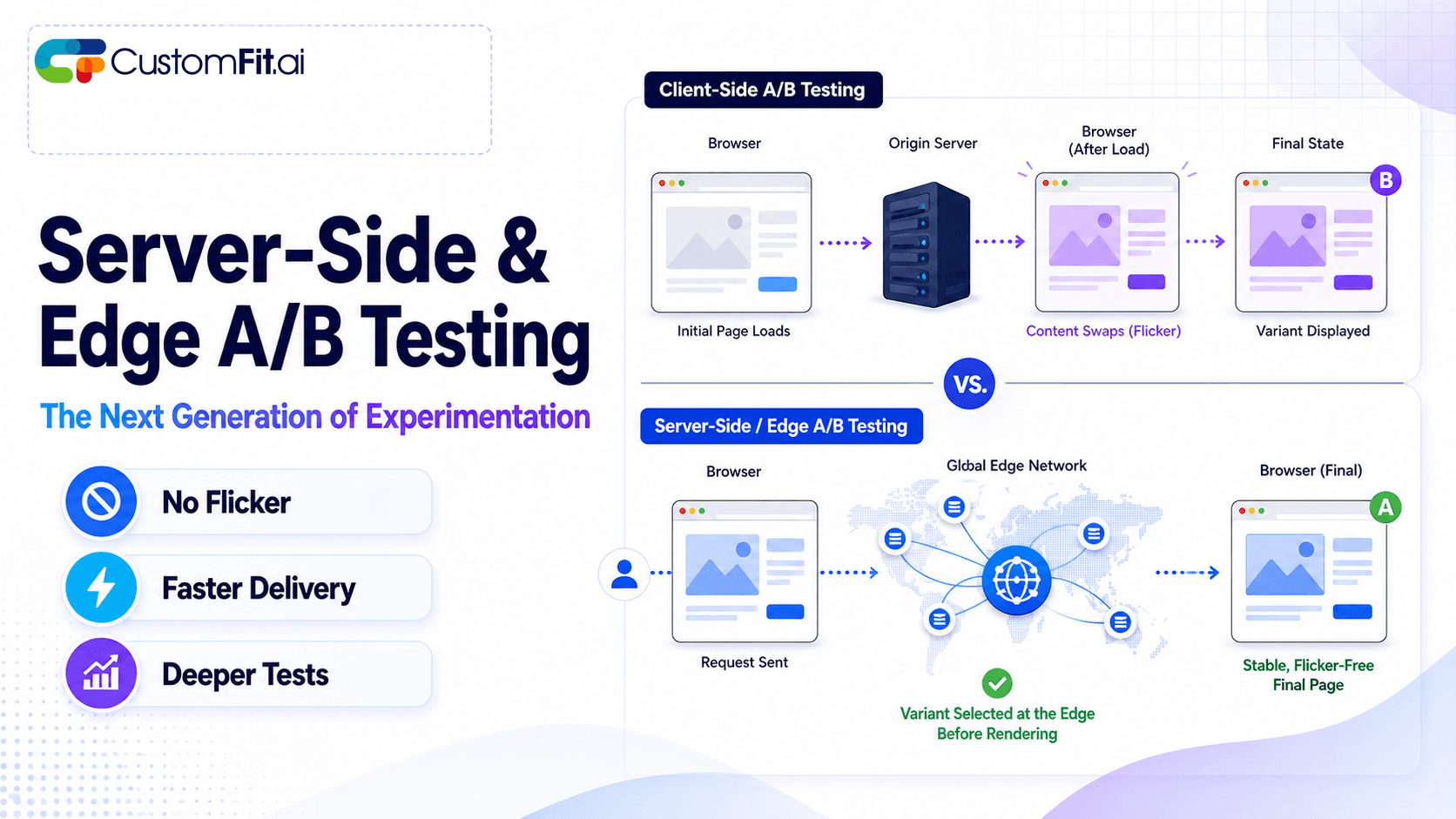 ab testing
Server-side A/B testing and edge experimentation explained - how they eliminate flicker, improve speed, and where they fit vs client-side testing.
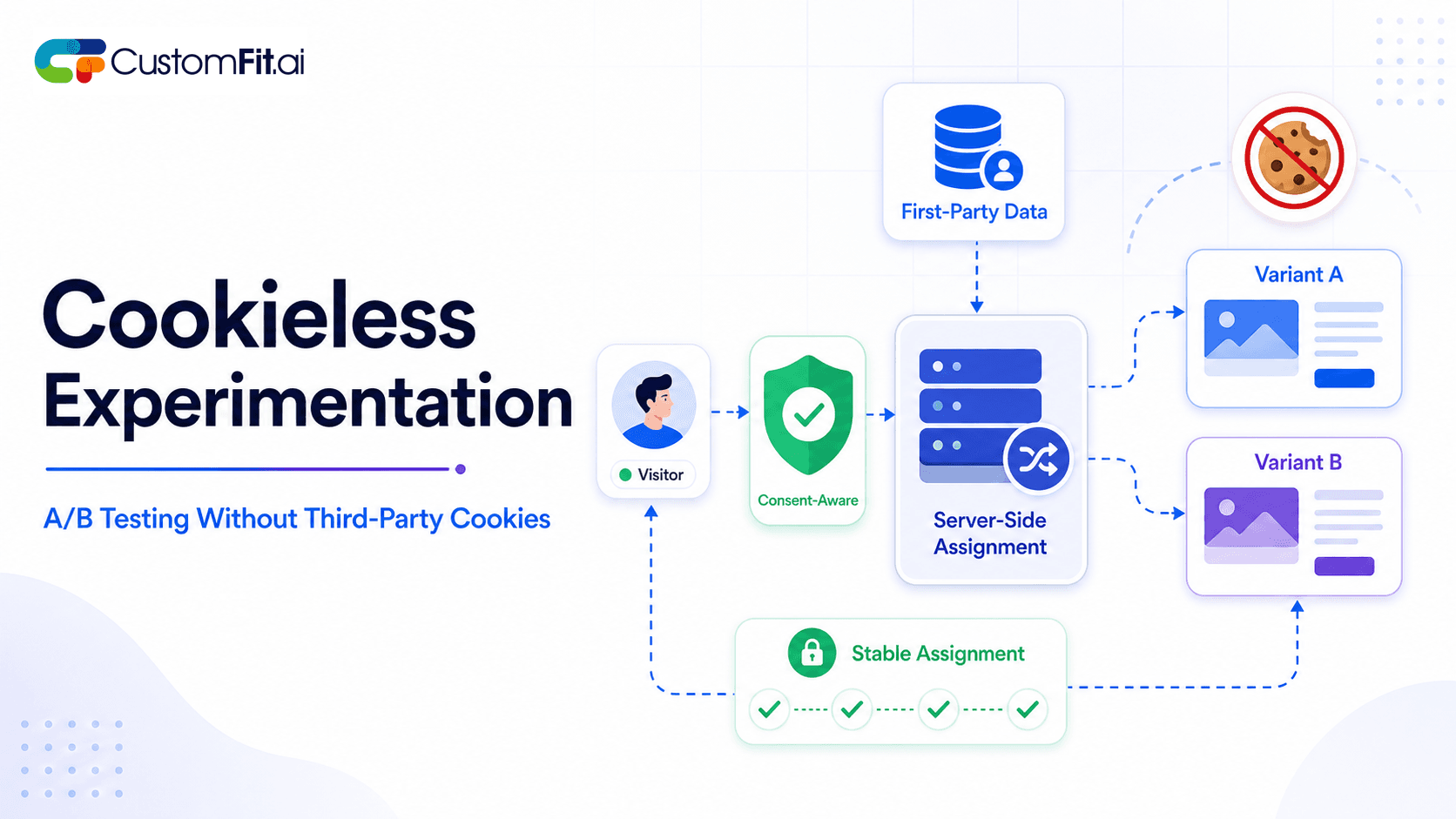 ab testing
How to run cookieless A/B testing correctly in 2026 - first-party data, GDPR compliant methods, and what actually changed with third-party cookies.
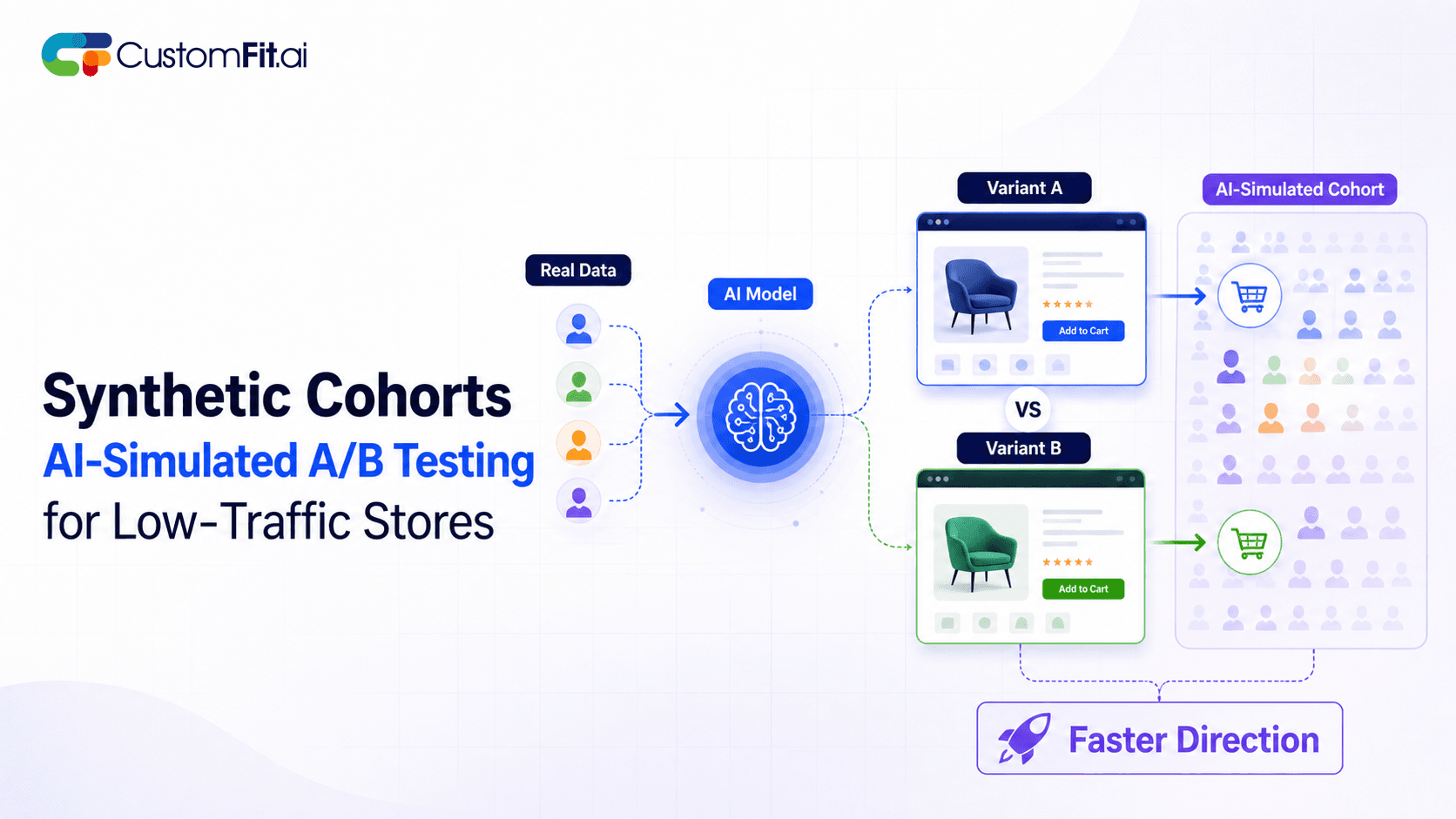 ab testing
Not enough traffic to A/B test properly? Here's how synthetic cohort testing and AI-simulated experimentation help low-traffic stores test with confidence.
Run rigorous A/B tests and personalize every visit on Shopify or any storefront — no engineers required.
The best free A/B testing tools in 2026 are CustomFit.ai (14-day full trial, no credit card), VWO's free tier (50K visitors/month), and Optimizely's limited plan. Google Optimize was shut down in 2023, leaving a significant gap that many brands filled with paid tools — but several strong free and freemium options remain for D2C ecommerce brands getting started with testing. The right choice depends on your traffic volume, ecommerce platform, and whether you have developer resources.
This guide cuts through the noise on what's actually available, what the free tier limitations mean in practice, and which tool fits which type of store.
Before diving into the list, let's be honest about free tiers:
Traffic caps are brutal. A tool that's free for 50,000 visitors/month sounds generous — until you realize a proper A/B test on a product page might need 5,000–10,000 visitors per variant. With 50K/month total across your site, you might run 2–3 tests per month maximum.
Feature limitations hide costs. Free tiers often exclude multivariate testing, advanced segmentation, heatmaps, and statistical reporting. You'll frequently hit a wall and need to upgrade.
Developer dependency. Most non-SaaS free tools require a developer to implement the JavaScript snippet correctly. For Indian D2C brands without in-house developers, this is a real barrier.
Support gaps. Free plans rarely include live support. When your test breaks or shows SRM, you're on your own.
With that context, here are the real options:

What it is: A no-code A/B testing and personalization platform built specifically for Shopify. No developer needed, installs like a standard Shopify app.
Free tier: 14-day full trial — all features unlocked, no credit card required. After trial, plans start at ₹8,199/month (~$99/month).
What you get in the trial:
Best for: D2C Shopify brands that want to run real tests quickly. Brands like Bellavita and Kapiva use CustomFit.ai for the exact reason that their growth teams can run tests without waiting on developers.
Limitations: Shopify-only. After the trial, it's a paid tool.
What it is: One of the oldest A/B testing platforms, now offering a free tier after Google Optimize's shutdown.
Free tier: Up to 50,000 tested users/month, 1 concurrent experiment, basic A/B testing only.
What you get:
Limitations:
Best for: Brands with moderate traffic (10K–40K monthly visitors) running sequential single-page tests and wanting a no-commitment starting point.
After free tier: Paid plans start at $199/month.
What it is: Enterprise-grade experimentation platform, historically expensive. Now has a "Feature Experimentation" free tier for feature flags.
Free tier: Developer-focused. Not practical for ecommerce A/B testing without engineering resources.
What you get:
Limitations: Not a no-code tool. Requires developer implementation. Not designed for Shopify page-level A/B testing.
Best for: Engineering teams at larger D2C brands building custom experiences. Not suitable for marketing-led testing.
Clarification: Hotjar is not an A/B testing tool. It offers heatmaps, session recordings, and click maps. It's included here because many brands confuse it with A/B testing tools.
Free tier: 35 sessions/day for heatmaps and recordings.
Best used as: A companion tool alongside your A/B testing platform. Use Hotjar to understand user behavior, then use those insights to form hypotheses for your A/B tests in CustomFit.ai or VWO.

Clarification: GA4 replaced Google Optimize and does not include A/B testing functionality. It's listed here because brands constantly search for "Google A/B testing" after Optimize's shutdown.
What GA4 provides: Audience insights, conversion tracking, and funnel analysis that should inform your A/B test hypotheses.
A/B testing in 2026: You need a separate tool. GA4 + CustomFit.ai or GA4 + VWO is the practical replacement for the old Google Optimize + GA pairing.
What it is: Shopify's built-in reporting dashboard.
A/B testing capability: None. Shopify does not have native A/B testing. Some Shopify themes support basic "theme editor" variants, but these aren't controlled experiments with statistical analysis.
The gap: This is exactly why Shopify-native tools like CustomFit.ai exist — Shopify merchants need A/B testing but the platform doesn't provide it.
Google Optimize served millions of websites (including many Indian D2C brands) until September 2023. Its shutdown created a significant migration challenge. Here's what the landscape looks like now:
| Former Optimize User | Best Replacement |
|---|---|
| Small Shopify store, no developer | CustomFit.ai |
| Mid-size ecommerce, developer on team | VWO or Convert |
| SaaS or non-ecommerce | AB Tasty or Optimizely |
| Enterprise with dedicated CRO team | Optimizely Enterprise |
When evaluating free tools, ask these questions:
1. Is statistical significance reporting included? Some free tools show you which variant has more conversions without telling you if the result is statistically significant. This is dangerous — you could ship a change based on random noise.
2. What is the visitor or experiment limit? Calculate whether the limit supports a properly-sized test. If you need 5,000 visitors per variant and the tool caps at 10,000 visitors/month total, you can run one test per month.
3. Does it require a developer? For most Indian D2C brands without in-house developers, this is a hard requirement. Look for a visual editor and no-code setup.
4. Is the free tier time-limited or forever? Some tools offer perpetual free tiers (with limits). Others offer time-limited trials. CustomFit.ai's 14-day trial gives you full features for two weeks — enough to run a complete test on a well-trafficked page.
5. Does it work with your ecommerce platform? For Shopify specifically, verify native integration. Generic JavaScript tools work, but can have caching and SRM issues if not implemented correctly.
Free tools often have hidden costs that paid tools don't:
Developer time: If setup requires engineering resources, a ₹50,000/month developer spending 2 days on implementation costs more than a ₹8,000/month tool that's self-serve.
Bad decisions from unreliable data: A free tool with SRM issues or inadequate statistical reporting might give you false winners. A single bad decision from flawed test data can cost more than a year of paid tool subscriptions.
Opportunity cost: Tools with low experiment limits mean you run fewer tests per year. If each successful test drives 10–15% CVR improvement, limiting yourself to 12 tests/year instead of 24 has a real revenue impact.
Start with a 14-day trial before committing to any free tier — you'll learn more about what features you actually need.
Calculate whether the free tier's visitor cap supports a valid test — if not, you're running underpowered experiments that will produce unreliable results.
Pair any free testing tool with a free analytics tool — GA4 for traffic analysis + CustomFit.ai for testing is a common stack.
Prioritize tools with automatic SRM detection — free tools often lack this, which means you might ship decisions based on contaminated data.
Factor in developer time when comparing "free" to paid — a ₹0/month tool that needs 3 days of setup is not free.
Run your first test on your highest-traffic page — maximize the value of your limited free-tier visitor allocation by focusing on pages where you can reach sample size quickly.
Don't mistake heatmap tools (Hotjar, Clarity) for A/B testing tools — they're complementary, not substitutes.
Related reading: A/B Testing Tools for Small Business | How to Choose an A/B Testing Tool | Statistical Significance | CustomFit.ai vs Competitors | A/B Testing Pillar Guide