From the conversion glossary
Concepts referenced in this article, defined.
Concepts referenced in this article, defined.
 cro
croPre-order waitlist CRO strategies that convert hype into real revenue - how to design waitlist and pre-order pages that don't lose momentum before launch.
 cro
croFirst purchase experience optimization - practical strategies to turn first-time visitors into buyers, from welcome offers to a smarter new customer funnel.
 cro
croRetail media CRO explained - how to monetize on-site ads and sponsored placements without tanking your conversion rate. A practical balance guide.
Run rigorous A/B tests and personalize every visit on Shopify or any storefront — no engineers required.
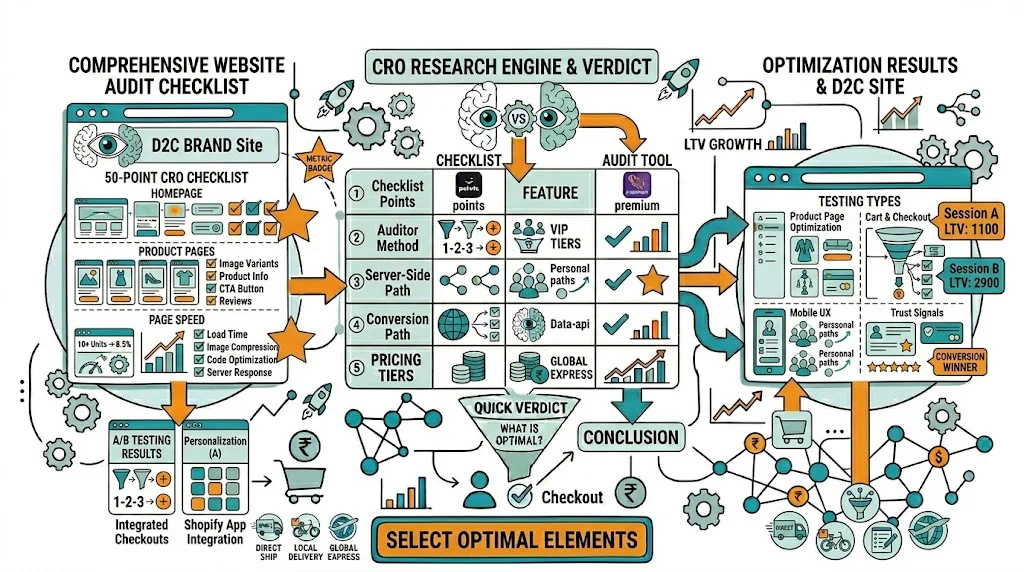
A CRO audit is your most important first step before running any A/B test — because testing solutions before you've diagnosed problems wastes traffic and time. This 50-point checklist covers every conversion-critical element of your ecommerce store, from technical performance to checkout friction, and tells you exactly what to look for and why it matters. Complete this audit before your next quarter's CRO program and you'll have a prioritized list of hypotheses ready to test.
How to use this checklist:
These issues directly suppress conversion rate and should be fixed before any optimization work.
1.1 Mobile Page Speed Does your site load in under 3 seconds on a typical 4G connection (not just WiFi)?
1.2 Desktop Page Speed Same as above for desktop. Target LCP under 2.5 seconds.
1.3 Mobile Responsive Layout View your site on a real mobile device (not just browser emulation). Check:
1.4 Checkout HTTPS and Security Indicators Is the padlock icon visible in the browser address bar throughout checkout? Is payment page served over HTTPS?
1.5 Analytics Tracking Verification Is Shopify Analytics correctly tracking all purchases? Test by placing a test order and confirming it appears in analytics within 24 hours.
1.6 404 Error Monitoring Check Google Search Console for 404 errors on product pages. Dead links from external sources lose you direct revenue.
1.7 Search Functionality Does on-site search return relevant results? Test with your top 5 product search terms. Poor search results = lost sales from high-intent visitors.
1.8 Cross-Browser Testing Test checkout specifically on Safari (iOS), Chrome (Android), and Firefox. Checkout forms sometimes break on specific browsers.
2.1 Hero Headline Clarity Within 5 seconds of arriving on your homepage, can a first-time visitor understand:
If not, your headline needs testing. See our A/B testing homepage guide.
2.2 Primary CTA Visibility Is there a single, clear primary CTA button above the fold on both mobile and desktop?
2.3 Navigation Clarity Can visitors find your product categories within 3 seconds? Test with someone who's never seen your site.
2.4 Trust Signals Above the Fold Are any of these visible before scrolling: review count, press mentions, customer count, certifications?
2.5 Mobile Hero Layout On a 375px wide mobile screen, is the CTA button visible without scrolling?
2.6 Featured Products Does the homepage showcase products in a way that entices clicking? Are prices visible? Are out-of-stock products hidden?
2.7 Promotional Banner If running a promotion, is it communicated clearly in the header or hero? Is the expiry date visible?
Product pages are where purchase decisions are made. This section has the most points.
3.1 Product Images
3.2 Product Title Is the title descriptive and specific? Does it include key attributes (size, variant, key benefit)?
3.3 Price Display
3.4 CTA Button
See A/B testing CTA buttons for testing framework.
3.5 Product Description
3.6 Reviews
3.7 Social Proof
3.8 Variant Selection UX For products with size/color/flavor options:
3.9 Shipping Information
3.10 Return Policy Visibility Is the return/exchange policy visible on the product page — not just hidden in the footer?
3.11 Pincode/Delivery Check Do you have a pincode checker widget so customers can confirm delivery to their area before adding to cart?
3.12 Mobile Scroll Experience Watch a session recording of a mobile user on your product page. Where do they stop scrolling? Is the CTA visible at that point?
4.1 Cart Persistence Does the cart save items if a visitor leaves and returns? (Shopify default: yes, but verify with custom themes)
4.2 Cross-sell/Upsell Are complementary products shown on the cart page? This is one of the easiest AOV improvements available.
4.3 Shipping Threshold Visibility If you offer free shipping above ₹499 (or another threshold), is this displayed in the cart with a progress indicator?
4.4 Trust Badges in Cart Security badge, easy returns badge, and payment method logos should be visible near the checkout button.
4.5 Cart Abandonment Recovery Is cart abandonment email/WhatsApp automation set up? First message within 1 hour of abandonment is standard.
5.1 Guest Checkout Can visitors purchase without creating an account? Mandatory account creation is a known CVR killer.
5.2 Form Field Count Count required fields in your checkout. Every additional field reduces completion rate. Target: under 12 total fields.
5.3 Payment Methods Are all major payment methods displayed? For India: UPI, cards, net banking, COD, EMI. Is COD prominently displayed?
5.4 Trust Signals Near Payment Button Security badges, payment logos, and "100% Secure Checkout" should appear near the payment CTA.
5.5 Error Messages Test submitting the checkout form with an error (wrong phone number format). Are error messages clear and helpful?
5.6 Order Summary Visibility Is the order summary (items, quantities, prices) visible throughout checkout — not hidden?
5.7 Mobile Checkout Test the entire checkout on a real Android phone. Are all fields accessible? Is the keyboard overlapping the active field?
5.8 Coupon Field Handling Is the coupon code field collapsed by default (to prevent the "coupon hunt" abandonment behavior)?
6.1 Review Volume Do your top 10 products each have at least 25 reviews? Products with <10 reviews have significantly lower CVR.
6.2 Review Recency Are the most recent reviews within the last 90 days? Stale reviews reduce trust.
6.3 About Page Is there a credible "About Us" page with founder story, brand mission, and real photos? This matters for D2C trust.
6.4 Contact Accessibility Is a phone number or chat option visible sitewide? Visible contact options increase trust significantly.
6.5 Security and Certification Badges Are relevant certifications visible? (FSSAI for food/supplements, dermatologist-tested for skincare, ISO certifications)
7.1 Touch Target Sizes Are all buttons, links, and interactive elements at least 44×44px for comfortable tapping?
7.2 Font Readability Is body text at least 16px on mobile? Smaller text forces users to zoom and increases bounce.
7.3 Mobile Navigation Is the mobile hamburger menu intuitive? Can users find any product category within 3 taps?
7.4 Mobile Image Performance Are product images served in WebP format or optimized for mobile file sizes?
7.5 Mobile Checkout Autofill Does the checkout form support browser autofill for name, address, and payment details on mobile?
| Score | Assessment |
|---|---|
| 45–50 ✅ | Excellent — focus on A/B testing optimizations |
| 35–44 ✅ | Good — fix ⚠️ items and test ❌ items |
| 25–34 ✅ | Fair — significant CRO opportunity, prioritize ❌ items |
| Below 25 ✅ | Critical issues — fix fundamentals before A/B testing |
Step 1: List all ❌ items with associated pages Step 2: Estimate traffic volume for each affected page Step 3: Score each issue by potential impact × confidence × ease (PIE framework) Step 4: Build a 90-day test roadmap — 1–2 tests per 2 weeks Step 5: Use CustomFit.ai to launch tests without developer involvement
See our CRO Process: Step-by-Step Framework for the full execution methodology.